Garmin Mobile
™
XT Owner’s Manual 31
my locationS
Using Location Categories
Garmin Mobile XT contains default categories to help you organize your saved
locations. You can also create your own categories for your saved locations.
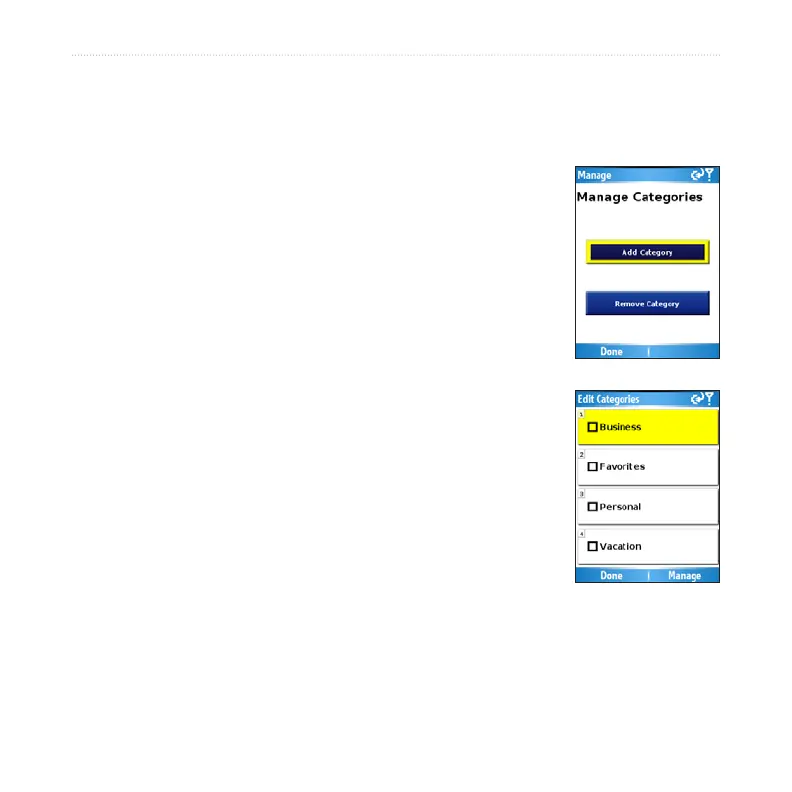
Creating a Category
Select (Menu >) Tools > Manage My Data > My
Locations.
Select a location, then select (Menu >) Change
Categories.
Select Manage > Add Category.
Enter the category name, then select Done.
Assigning a Category
Select (Menu >) Tools > Manage My Data > My
Locations.
Select the location you want to assign to a category, then
select (Menu >) Change Categories.
Select one or more categories, then select Done.
Deleting All Saved Locations
Select (Menu >) Tools > Manage My Data > My
Locations.
Select Menu or Manage > Delete All.
1.
2.
3.
4.
1.
2.
3.
1.
2.



 To Next Page