44 Garmin Mobile
™
XT Owner’s Manual
aPPendix
aPPendix
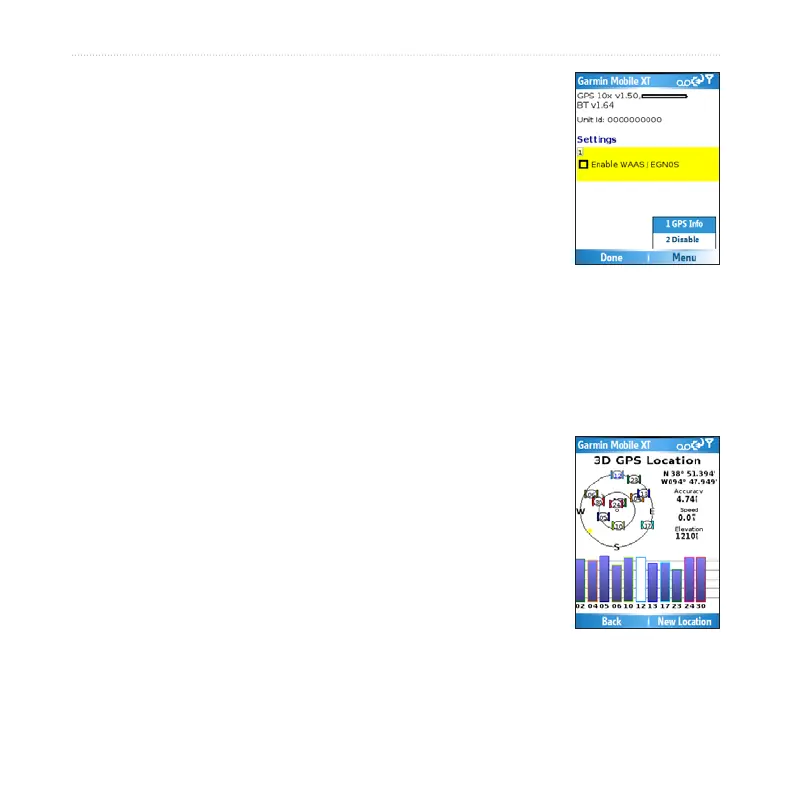
Remote GPS Page
To view the Remote GPS Information page, select the GPS icon
in the upper-left corner of the main Garmin Mobile XT page. You
can also open the Remote GPS Information page by selecting
(Menu > ) Settings > System > Remote GPS.
The Remote GPS page provides information about the GPS unit
connected to your device. It also shows status information for your device, including
device software version, unit ID, and battery gauge (if applicable).
Select Enable WAAS/EGNOS to turn on WAAS. A check mark appears when
WAAS/EGNOS is enabled. For information, see www.garmin.com/aboutGPS/waas
.html.
Select (Menu >) Disable to turn off GPS mode. Select (Menu >)
Enable to turn on GPS mode.
Select (Menu >) GPS Info to view information about the GPS
satellites your device is receiving and their signal strength. It
shows your position (lat/lon), the GPS accuracy, your current
speed, and your current elevation. Select New Location to set
your location (see page 45 for more information).



 To Next Page