▪ Revert to Defaults: Click the (Default) button to revert the settings to the factory defaults.
▪ Save Settings: Click the (Save) button to save the settings to the currently selected camera
channel.
▪ Exit this Menu: Click the (Exit) button to return to the previous screen. Please note that you
will lose any changes unless you first save the settings.
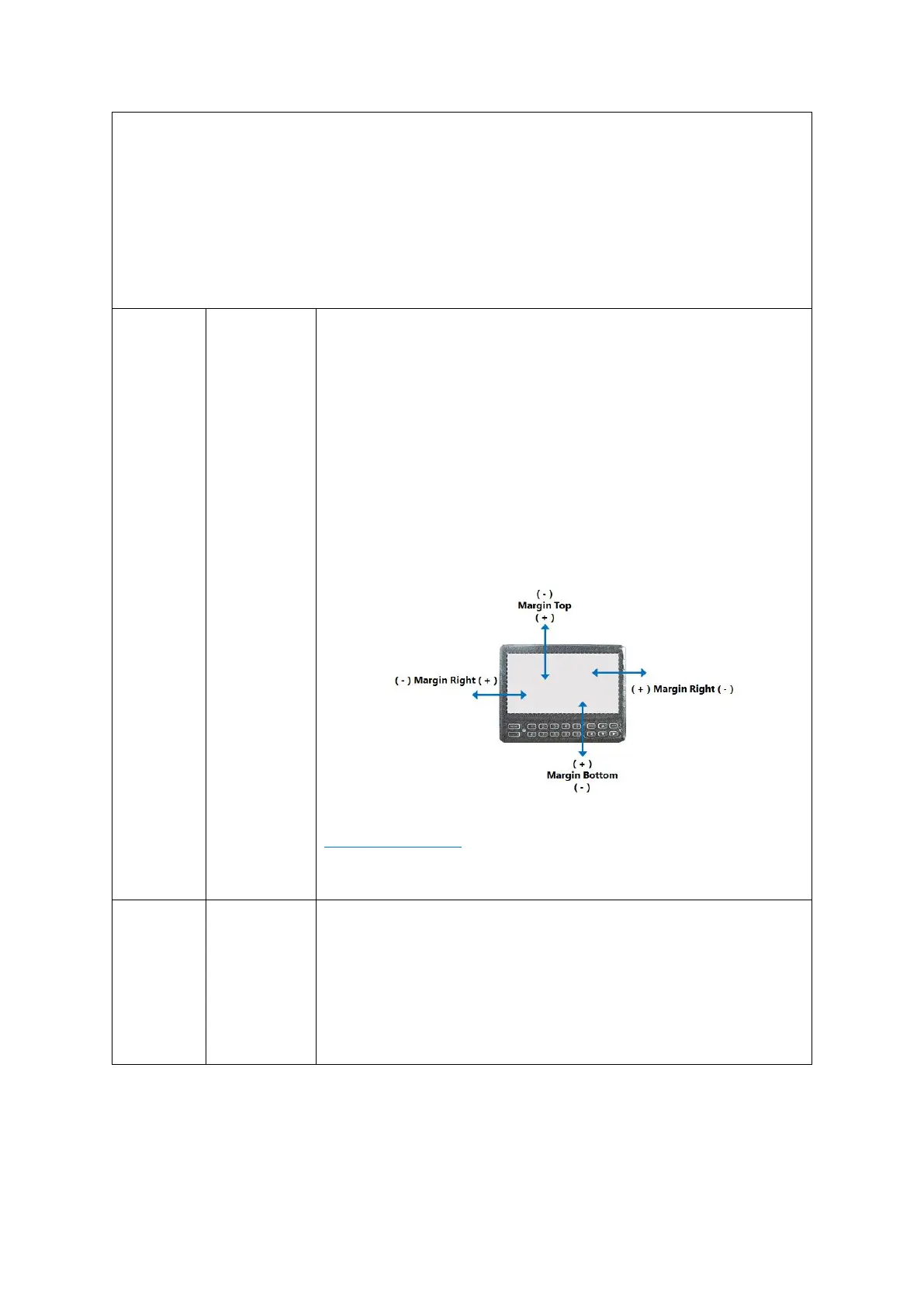
This button displays the margin setup screen which has the following
options:
▪ Margin-top
▪ Margin-bottom
▪ Margin-left
▪ Margin-right
You may use the (+) and (-) buttons or click and drag the slider knob
to adjust the margins of the screen to fit the display within the
limitations of your display monitor. This is especially useful if you find
that parts of the display are off-screen.
DEFAULT SETTINGS:
Please adjust the margins if necessary, to ensure the entire screen fits
comfortably within your installed display monitor.



 To Next Page