50
Input Settings
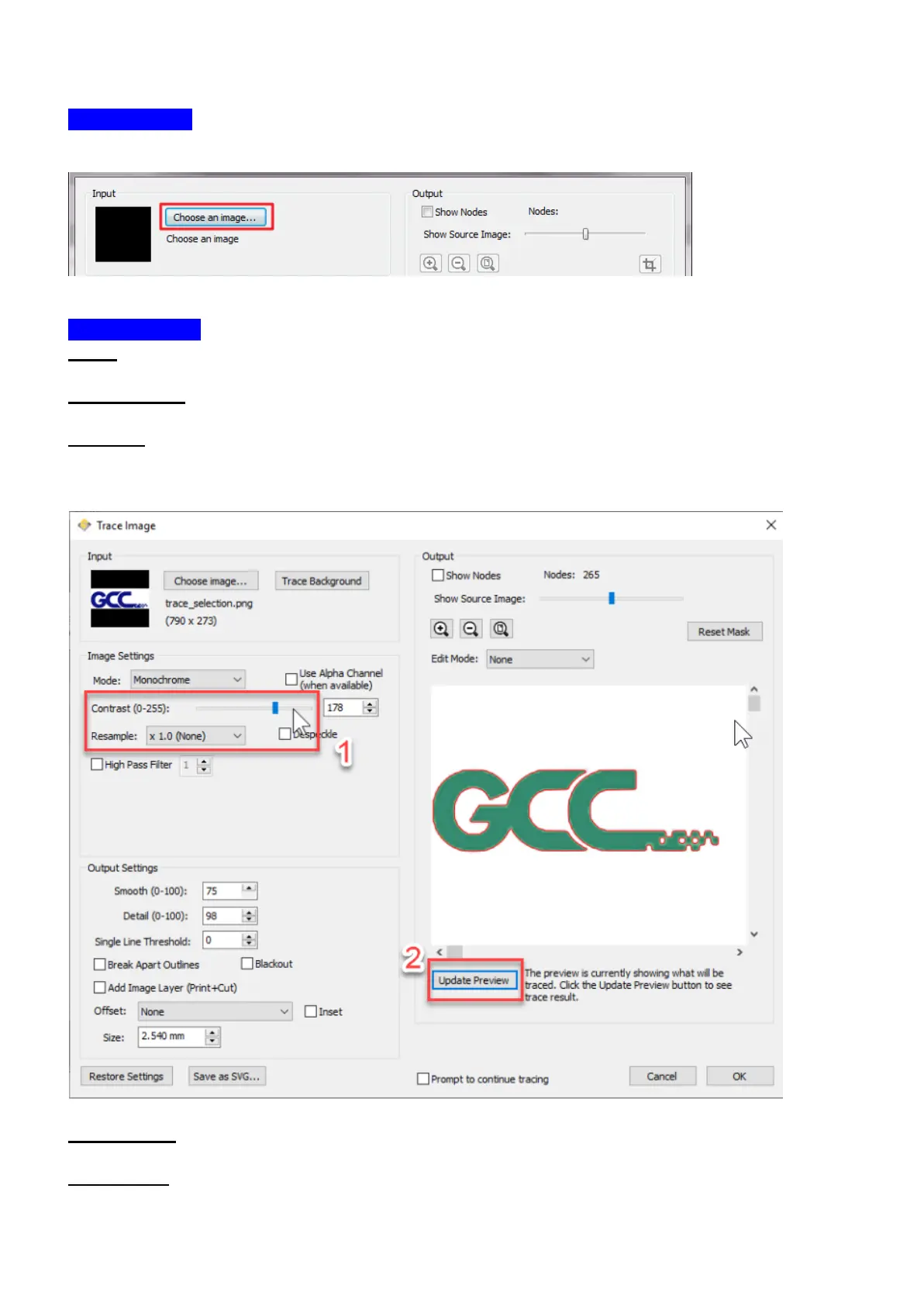
Choose an Image: click “Choose an image…” button. The program can accept most files
(.bmp, .jpg, .gif, .png).
Image Settings
Mode: choose which tracing mode you would like to do.
Monochrome - will trace as if the image is a black and white image.
Contrast: this value will determine the cutoff to whether parts of the image should be traced.
When you adjust the contrast value, the preview will change to a black and white image
showing what parts of the image will be traced. To see trace results, click the “Update
Preview” button.
Color layers - will segment the image into the specified number of colors.
Max Colors - the maximum number of colors to segment the image in to. You can turn off
colors by clicking on the color boxes. To see trace results, click the “Update Preview” button.



 To Next Page