51
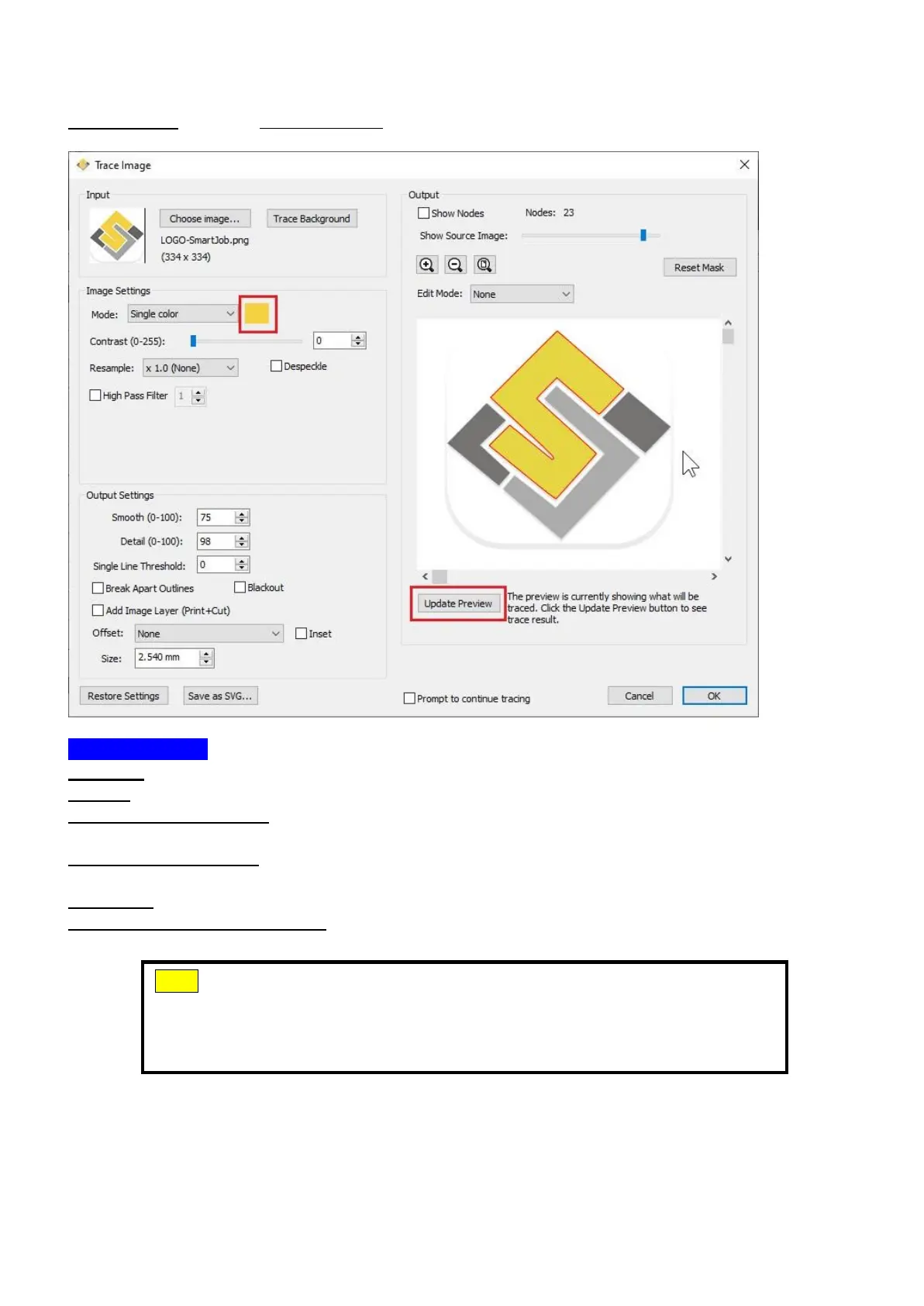
Single Color - choose a specific color from the image to trace. To choose a color, click the
color button, and then click on the preview image to choose a color.
Output Settings
Smooth: higher values will result in a smoother trace.
Detail: lower values will remove smaller shapes
Single Line Threshold: this can be used if you are tracing images that have outlines shapes
that are not filled solid to prevent having double lines.
Break Apart Outlines: if checked, the trace result will be saved as separate layers for each
outline created.
Blackout: removes internal outlines.
Add Image Layer (Print+Cut): adds the source image as a layer under the traced outline,
and sets the traced outline layer to "Print+Cut Cut" so that it will only be cut and not printed.
Note
The contrast and pixels of import images will affect the trace image
result. High contract graphics are recommended.



 To Next Page