62
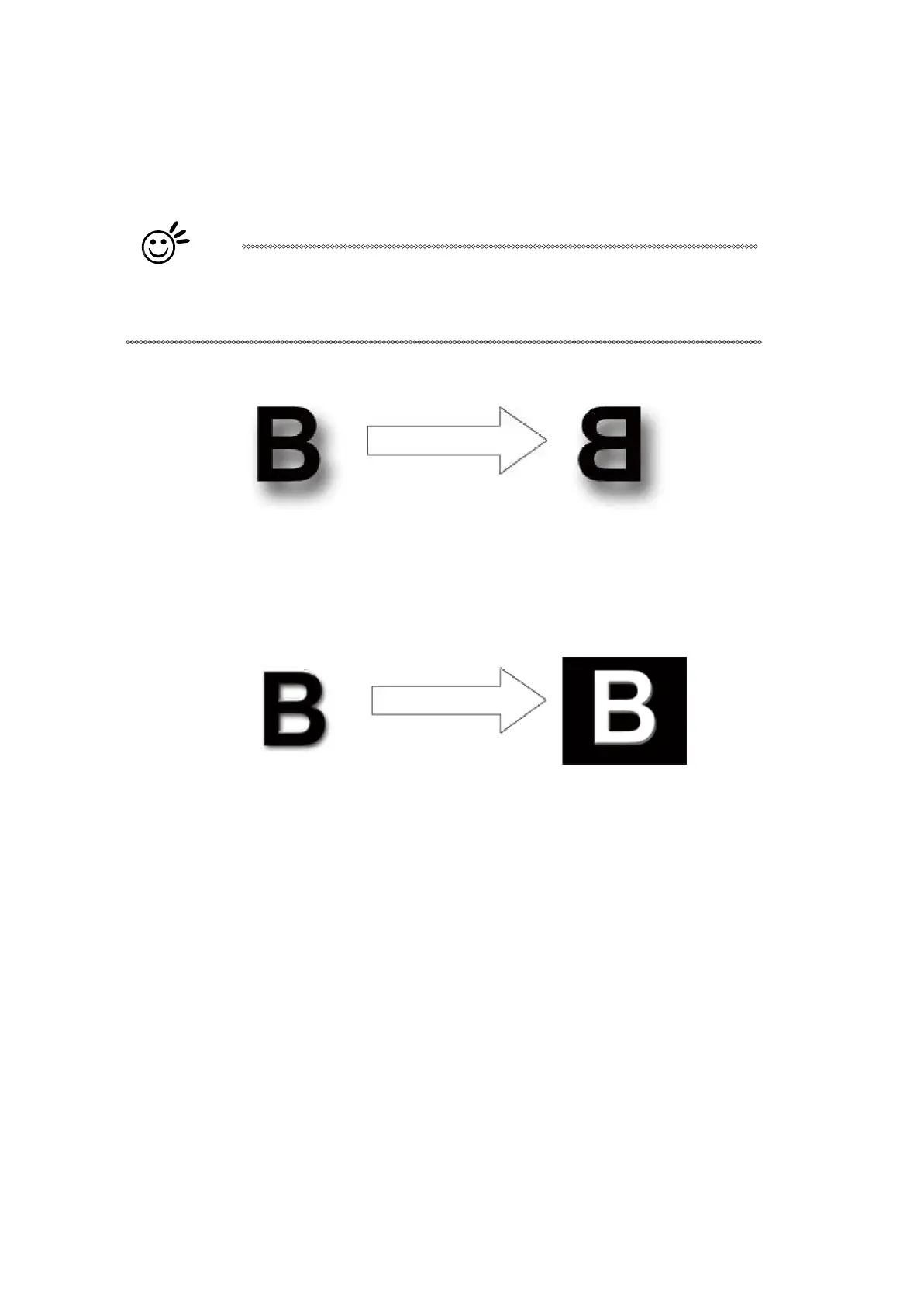
Mirror
[DEF
AUL
T SETTING:
Unselected]
Checking this box will automatically engrave your image with a mirrored effect. This setting will flip the
image along the Y-axis from left to right and vice-versa.
Tip
When engraving a stamp, via the stamp mode, the stamp image needs to be
engraved in reverse (mirrored) for the final stamp to be correctly laid out.
Invert
[DEF
AUL
T SETTING:
Unselected]
Checking this box automatically inverts / reverses the color of your image (the white areas become
black and vice versa). The Invert option is not available in disabled with Manual Color File mode
selected.
PEN [DEF
AUL
T SETTING: Speed 50, Power 50, PPI 400]
The LaserPro E200 incorporates the use of 5 different colors to represent 5 different laser power and
speed settings when cutting and engraving. These colors are referred to as “Pen”. Think of each pen
as a designated laser setting, rather than as a color. As an example, a black and white image will use
only one power and speed laser setting (Black). An image that is made up of black, red and blue
colors will be processed using the laser settings designated for each particular color. In order to utilize
up to 5 different pens (laser parameter settings), make sure your graphics software can recognize and
utilizes the 5 pen colors designated by the LaserPro E200 print driver.



 To Next Page