Product description
1.10 QS4 Technical Reference Manual
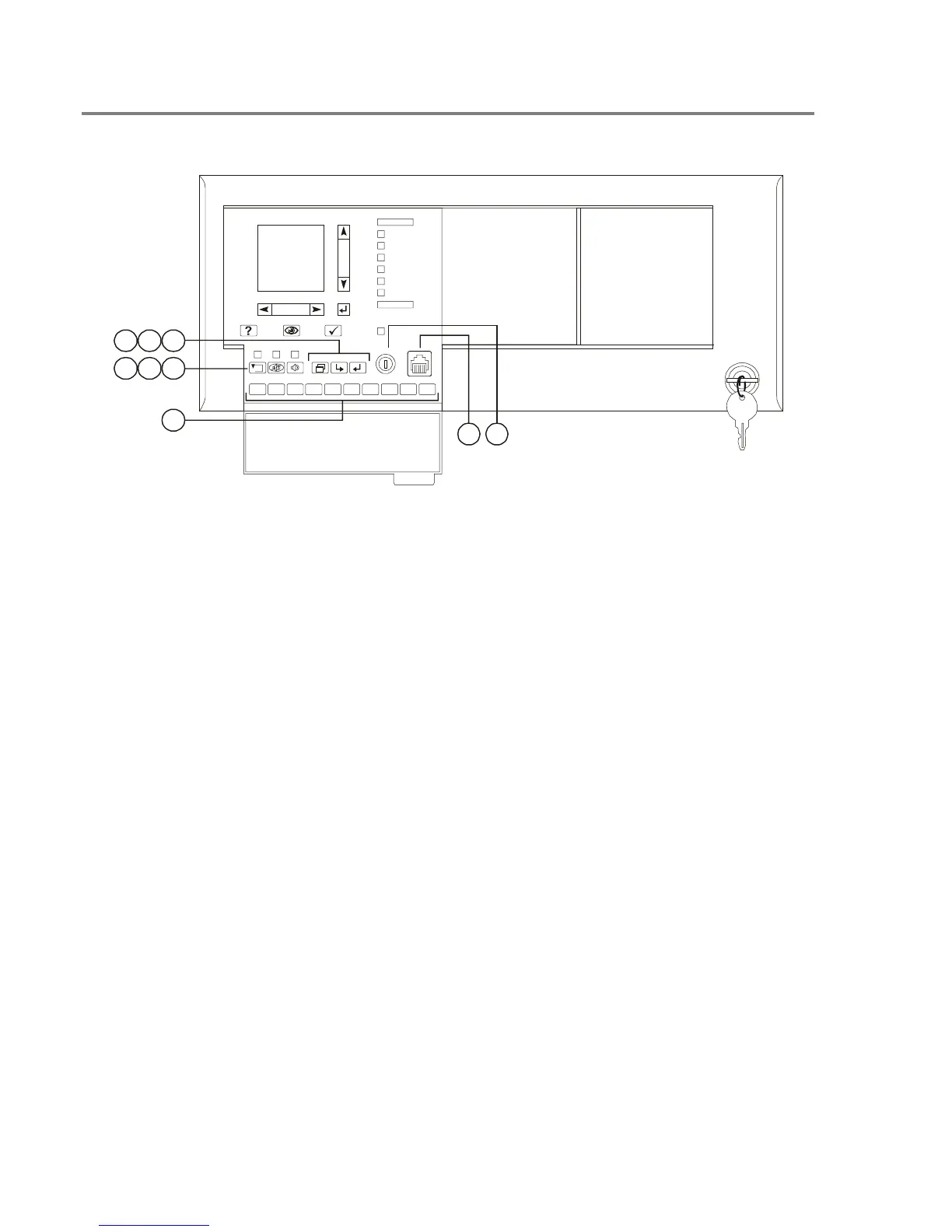
Controls and indicators behind the flip-down cover
1234
1
67890
2
3
5
4
5
6
7
8
9
10
11
12
13
14
15
16
17
18
19
20
21
22
23
24
25
26
27
28
29
30
1
2
3
4
5
6
7
8
9
10
11
12
13
14
15
16
17
18
19
20
21
22
23
24
25
26
27
28
29
30
3
6
9
5
8
4
7
2
1
1. Enable Controls key switch: Gives priority
access to control functions reserved for operators
with Level 2 access.
2. Barcode scanner jack: Input point for optional
barcode scanner.
3. Numeric keypad: Numbered buttons for
entering data and selecting menu options.
4. Reset button: Restores devices or zones in
alarm or trouble to their standby condition. The
LED indicates when the panel is resetting.
5. Alarm Silence button: Turns active
notification appliances off according to the panel
programming. Pressing Alarm Silence a second
time turns them back on. The LED indicates
when the panel is in alarm and operating with
notification appliances turned off.
6. Drill button: Turns notification appliances on
according to the panel programming but does not
place the panel in alarm. The LED indicates
when the panel is in Drill mode.
7. Menu button: Displays the operator menus.
8. Delete button: Returns to the previous menu
or back spaces the cursor.
9. Enter button: Press the Enter button to accept
information from the operator or continue to the
next item.
Technical Manuals Online! - http://www.tech-man.com



 To Next Page