Installation
2.10 QS4 Technical Reference Manual
System addressing
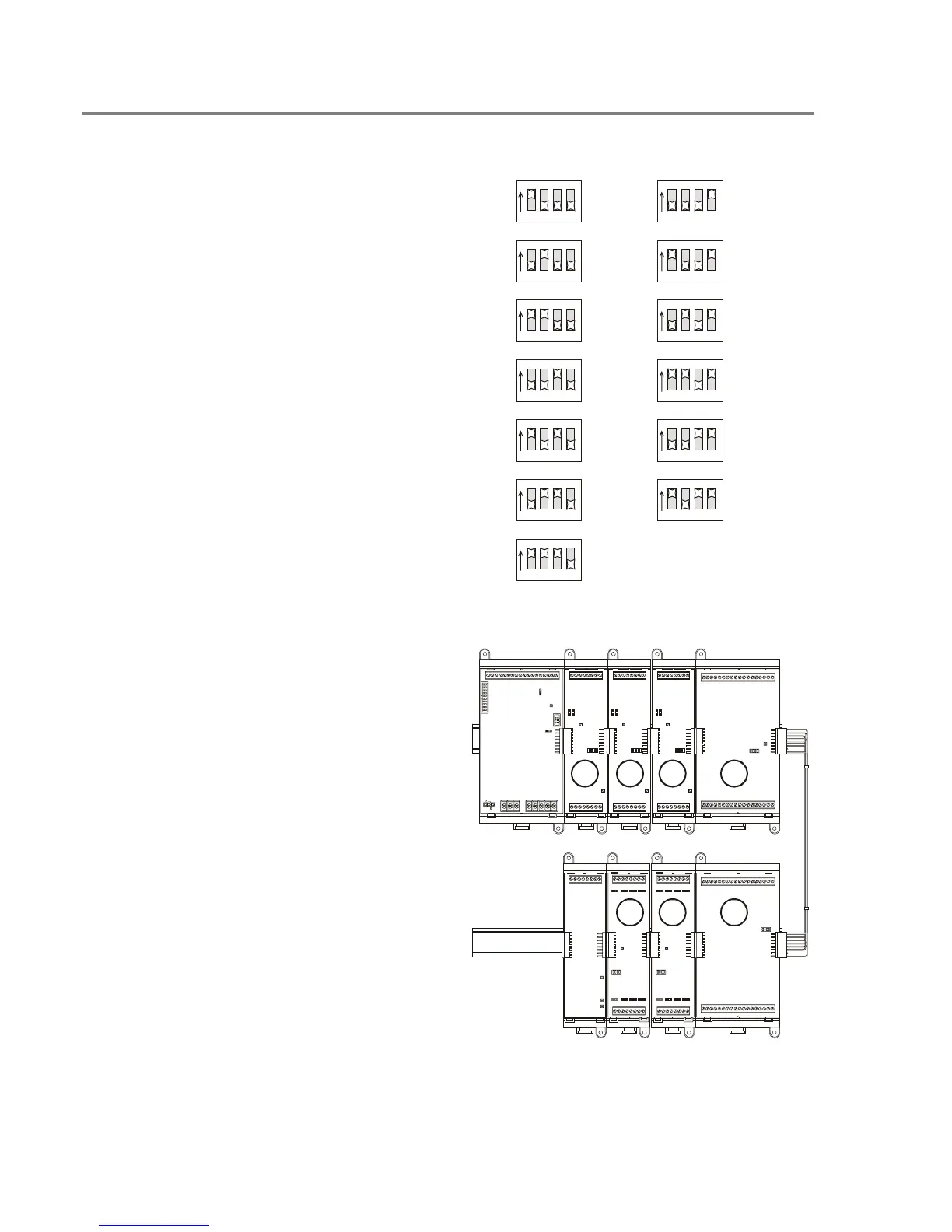
Card addresses
Each option card installed in the panel is
assigned a unique card address. Only the SLIC,
ZB16–8, ZA8–2, and ZR–8 have card addresses
that you can set. The CPU, DLD and PS6 card
addresses are fixed.
00: Reserved for the CPU
01–07: Used for the SLIC, ZB16–8, ZA8–2, and
ZR–8
08–13: Used for the ZB16–8, ZA8–2, and ZR–8
14: Reserved for the DLD
15: Reserved for the PS6
ON
1234
= 01
ON
123 4
= 08
ON
1234
= 02
ON
123 4
= 09
ON
1234
= 06
ON
123 4
= 13
ON
1234
= 05
ON
123 4
= 12
ON
1234
= 04
ON
123 4
= 11
ON
1234
= 03
ON
123 4
= 10
ON
1234
= 07
Tip: When you install the option cards, set the
card addresses in consecutive order as you
move away from the power supply starting at
address 01.
01 02 03 04
07 06 05
Technical Manuals Online! - http://www.tech-man.com



 To Next Page