To Next Page


J
Jamie GonzalezAug 1, 2025
What to do if USB disk is plugged into GE Server prior to rebooting?
- KKatelyn HaynesAug 1, 2025
If a USB disk is plugged into the GE Server before rebooting, remove it prior to rebooting.

What to do if USB disk is plugged into GE Server prior to rebooting?
If a USB disk is plugged into the GE Server before rebooting, remove it prior to rebooting.
How to check for burn damage on GE Server?
If you notice burn damage or smell overheated components on your GE Server's circuit boards, carefully inspect the boards for these signs.
How to check cable tension in GE Server?
Assess the I/O connectors and interface cables of your GE Server for excessive tension or wear.
What to do if socketed components are not firmly seated in GE Server?
Ensure socketed components are firmly seated on the circuit boards of your GE Server.
How to check fraying damage in GE Server?
Check the I/O connectors and interface cables of your GE Server for fraying or other damage.
How to check cracked housing in GE Server?
Look for cracked housing in the I/O connectors and interface cables of your GE Server.
What causes bent pins in GE Server?
Inspect the I/O connectors and interface cables of your GE Server for bent prongs or pins.
Covers intended use, manufacturer responsibilities, safety statements, dangers, and warnings for system operation.
Lists administrative accounts (Webmin, VNC) for ATS access, configuration, and diagnostics.
Guides on logging into and navigating the Webmin interface for system configuration and troubleshooting.
Details accessing and configuring the ATS, including network settings, system defaults, and specialized functions.
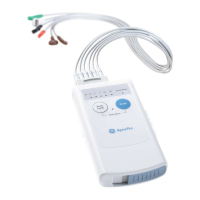
Explains how to set up ApexPro FH components: language, mode, tower name, and network addresses.
Covers initial troubleshooting steps like visual inspection, boot failure, and connection checks.
Maps symptoms to causes, solutions, and FRU replacement procedures for common ATS problems.
A checklist to ensure all installation steps are completed correctly for proper system function.
Checklist for routine maintenance and checkout to ensure ongoing system performance and reliability.
Describes electrical safety tests to identify potential health hazards and provides general recommendations.
 General
| Brand | GE |
|---|---|
| Model | ApexPro |
| Category | Medical Equipment |
| Language | English |