3–4 MM300 MOTOR MANAGEMENT SYSTEM – INSTRUCTION MANUAL
GRAPHICAL CONTROL PANEL CHAPTER 3: INTERFACING WITH THE MM300
The ENTER key functions in different ways depending on its context.
• If there are no selected fields, the ENTER key will freeze any scroll bars and select the
first field on the display.
• If a field is selected, pressing ENTER will attempt to open it for editing.
• If a field is opened for editing, pressing enter will exit the edit sequence.
• Double pressing the ENTER key at any time selects the displayed page as the default
display.
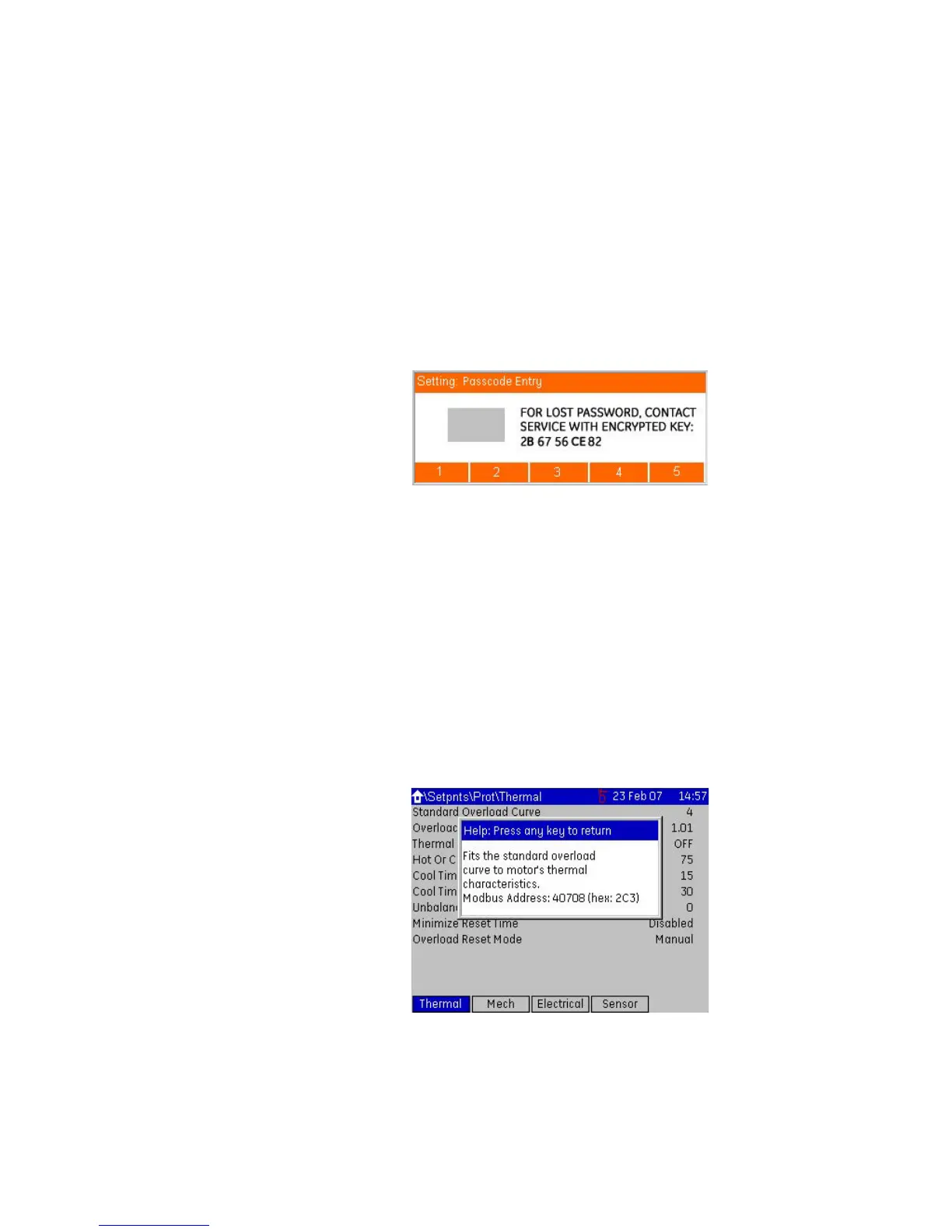
• A sustained press on ENTER prompts the security passcode and displays a dialog box
that allows passcode entry.
For example, pressing and holding the ENTER key, or attempting a control where a
password is required, displays the following page.
Figure 3-4: Passcode entry dialog box
The ESC key functions in different ways depending on its context.
• If a pop-up dialog box is displayed, the ESC key closes it.
• If an edit sequence is in progress, the ESC key cancels the edit.
• If a field is selected, the ESC key de-selects it.
• In all other instances, the ESC key moves back one page in the menu structure.
• A sustained press on the ESC key clears the security passcode and prompts for
confirmation.
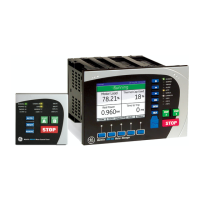
The HELP key functions in different ways depending on its context.
• If a field is selected, the HELP key displays a help window for the field.
• If a help window is displayed, the HELP key closes it.
Help windows are also closed when any other key is pressed. A typical help window is
shown below.
Figure 3-5: Typical MM300 help window
Pressing an invalid key displays a message explaining the problem and recommending a
solution. Where the keypress is invalid because a security passcode is required, the dialog
window will be a passcode entry window.








 To Next Page