CHAPTER 5: SETPOINTS CONFIGURATION SETPOINTS
MM300 MOTOR MANAGEMENT SYSTEM – INSTRUCTION MANUAL 5–31
Waveforms
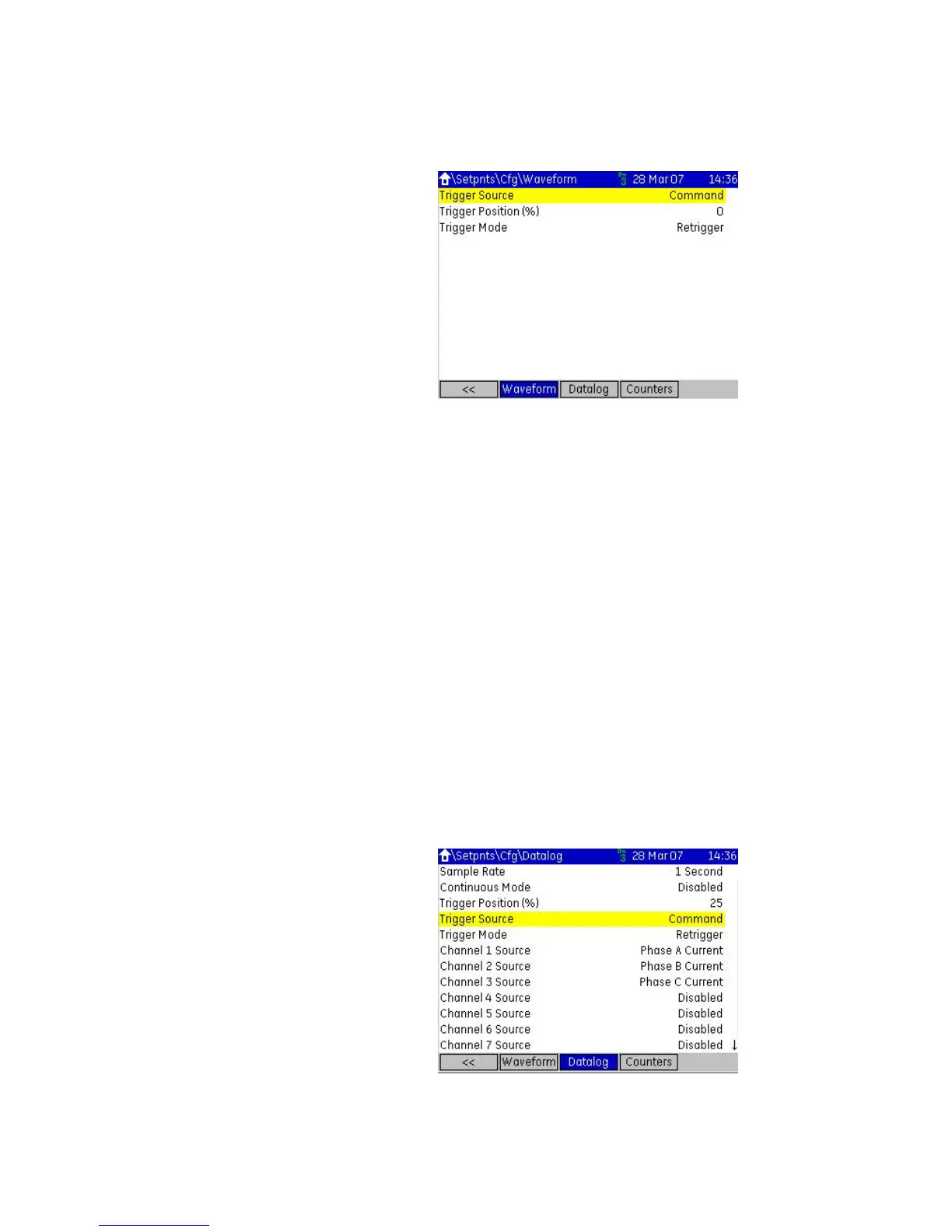
Figure 5-24: Waveform setpoint page
The following setpoints are available:
Trigger Source
Range: Command, VO1 to VO32, Any Trip Pickup, Any Trip, Any Trip Dropout, Any Alarm
Pickup, Any Alarm, Any Alarm Dropout, Any Stop, Start A, Start B
Default: Command
Selects a trigger source. Command is always active. Flexlogic can be used to create
combinations of trigger sources.
Trigger Position
Range: 0 to 100% step 1%
Default: 0
Percentage of the sample buffer used for pretrigger samples.
Trigger Mode
Range: Retrigger, One-shot
Default: Retrigger
Determines whether or not the trigger data is overwritten with new trigger data.
Retrigger will overwrite the previous trigger data with the new trigger data. One-shot
mode will keep the current trigger data until a manual Clear command is sent.
Datalog
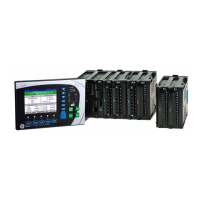
Figure 5-25: Datalog setpoint page
The following setpoints are available:



 To Next Page