3–30 MM300 MOTOR MANAGEMENT SYSTEM – INSTRUCTION MANUAL
SOFTWARE CHAPTER 3: INTERFACING WITH THE MM300
Adding setpoints files
to the environment
The EnerVista MM300/MM200 Setup software provides the capability to review and
manage a large group of setpoint files. Use the following procedure to add an existing file
to the list.
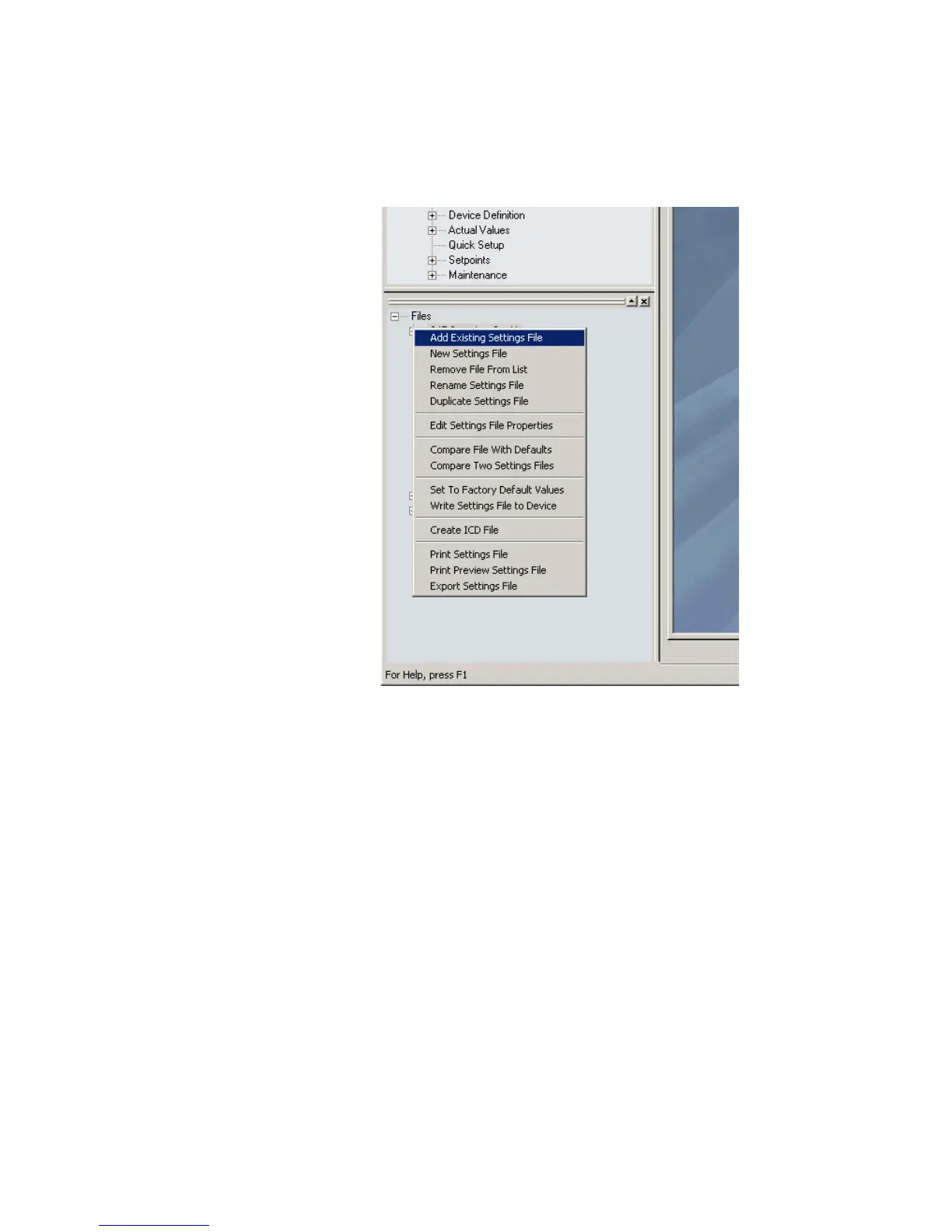
1. In the files pane, right-click on Files and select the Add Existing Setting File item as
shown:
2. The Open dialog box will appear, prompting the user to select a previously saved
setpoint file. As for any other MS Windows® application, browse for the file to be
added then click Open. The new file and complete path will be added to the file list.



 To Next Page