3–16 MM300 MOTOR MANAGEMENT SYSTEM – INSTRUCTION MANUAL
BASIC CONTROL PANEL CHAPTER 3: INTERFACING WITH THE MM300
Basic control panel
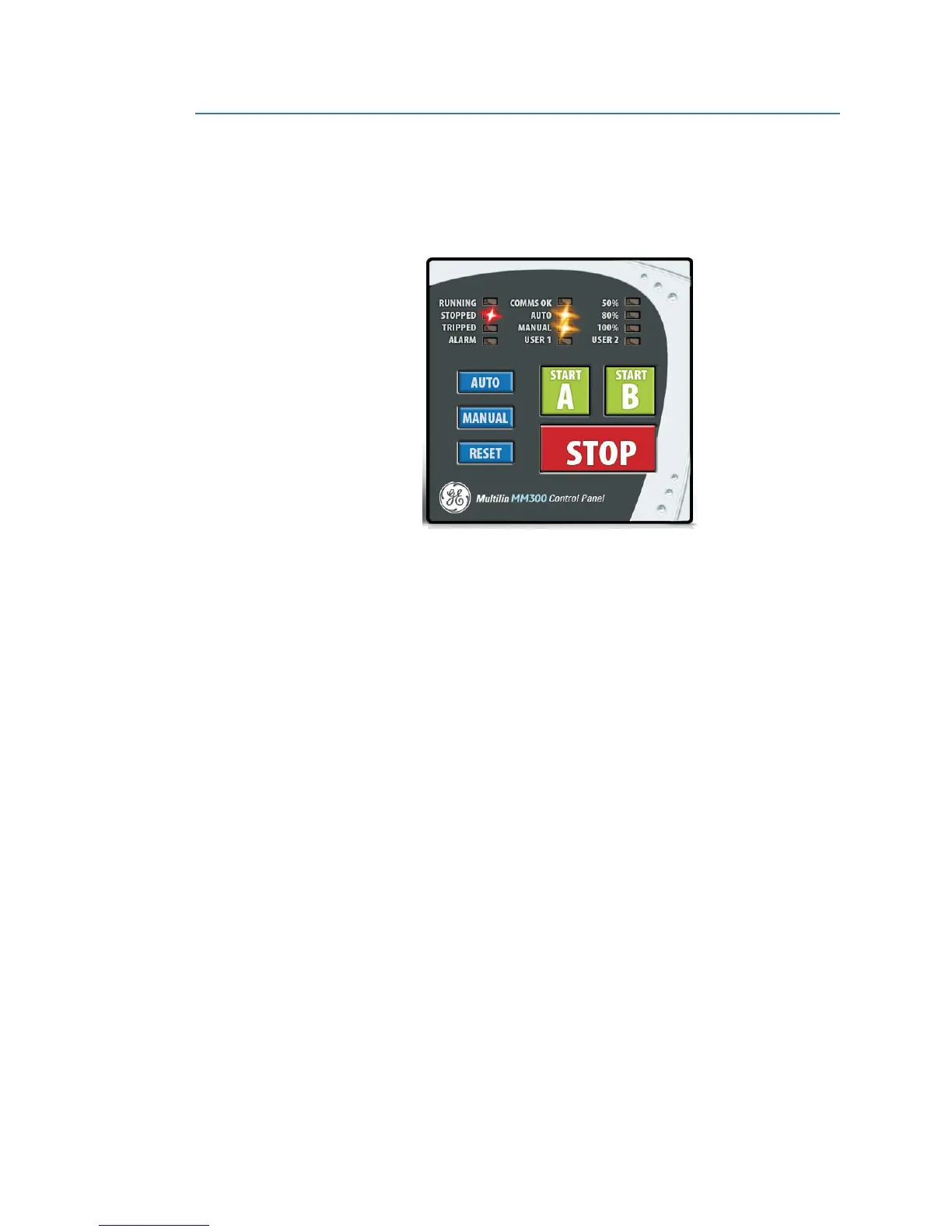
The MM300 basic control panel provides the basic start and stop panel functionality, as
well as a series of LED indications. The basic control panel is illustrated below.
Figure 3-24: Basic control panel
The following LEDs are provided:
• Two USER LEDs (USER 1 and USER 2). the user can select parameters from a list
• 50%/80%/100% - showing motor load
• RUNNING, STOPPED, TRIPPED, and ALARM
• COMMS OK
•AUTO and MANUAL








 To Next Page