CHAPTER 3: INTERFACING WITH THE MM300 GRAPHICAL CONTROL PANEL
MM300 MOTOR MANAGEMENT SYSTEM – INSTRUCTION MANUAL 3–15
2. Use the arrow soft-keys to select the relevant alphanumeric setpoint field.
3. Press the ENTER key to open the alphanumeric setpoint editor.
4. The first character of the alphanumeric setting value will be marked with a flashing
cursor (underline).
5. Use the up, down, left, right, shift, and space soft-keys to change the indicated
character.
6. Use the left and right arrow soft-keys to select and change more characters.
7. Press the ENTER key when complete to exit the edit sequence. The changes are
automatically saved.
Date, time, and IP
entry
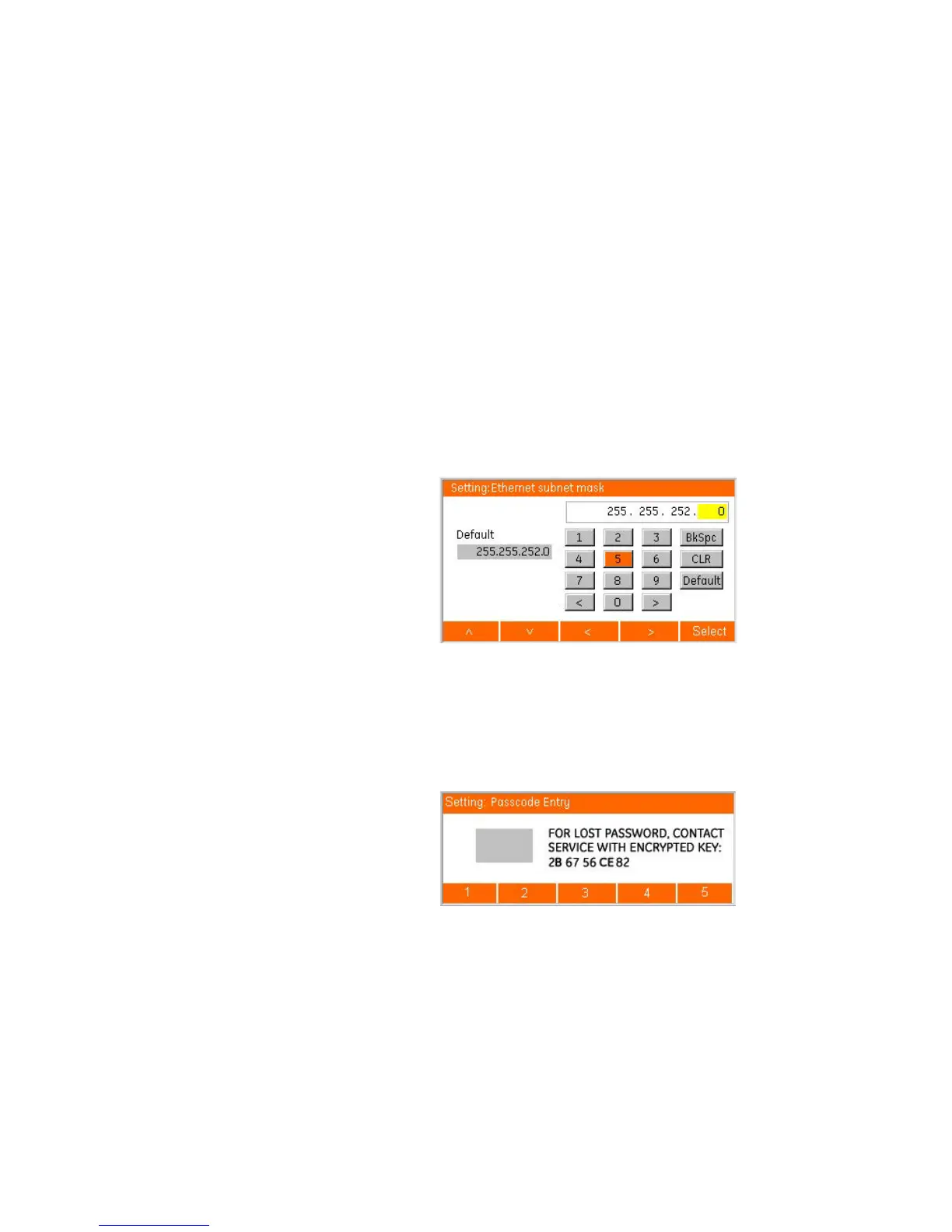
The entry process for date, time, and IP setpoints follows the same convention as numeric
setpoints, where the day, month, year, hour, minute, second, and each octet of the IP
address are entered as separate fields. Input verification is performed for all fields of the
setpoint when the ENTER key is pressed. As these are standard formats, the minimum,
maximum and step value displays are removed. For date and time setpoints, a format
string of DD/MM/YYYY or HH:MM:SS is included as a part of the setpoint label for reference
when entering a new value.
Figure 3-22: IP address setpoint editor
Security access There are three levels of security access allowing write access to setpoints, lockout reset,
and firmware download. When there are no pop-ups present, a sustained press on the ESC
key clears the security passcode. When operations are performed that require a higher
level of security, a passcode entry dialog box automatically opens (for example, in
entering factory page at read only security access).
Figure 3-23: Password entry dialog box
The encrypted key information appears only when the current security access level is 0.








 To Next Page