Shenzhen Getech Technology Co.,Ltd
26
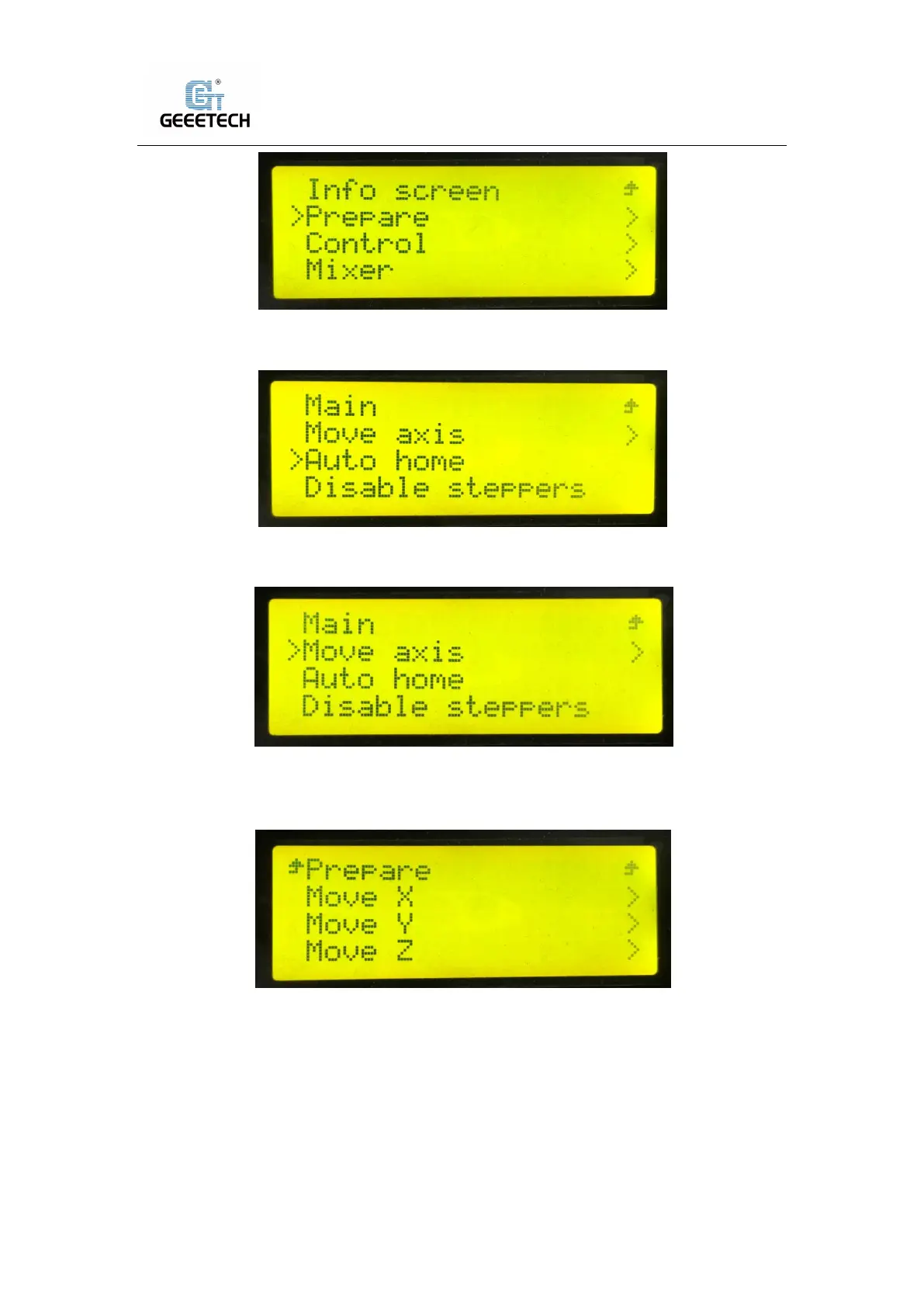
(Picture 7-20)
Choose “Auto home” to home the printer, see picture (7-21).
(Picture 7-21)
Choose “Move axis” to move motors. See picture (7-22)
(Picture 7-22)
Choose from “Move X/Y/Z/Extruder1/Extruder2”and rotate the knob to move them. See picture
(7-23).
(Picture 7-23)
Choose “Move 1mm”, see picture (7-24).



 To Next Page