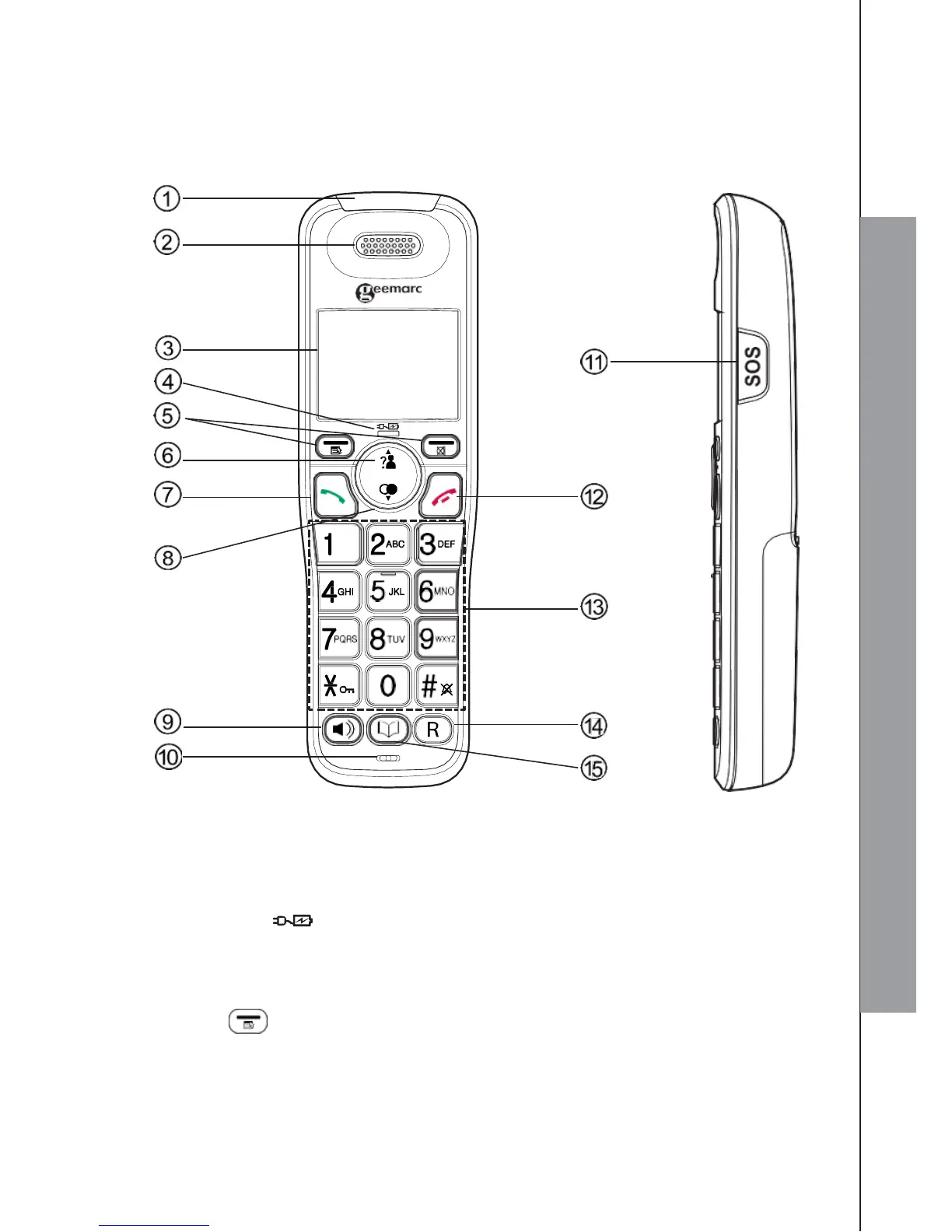
3. GET TO KNOW YOUR PHONE
3.1 Overview of the Handset
1. RINGER/BOOSTER LED
2. EARPIECE
3. LCD DISPLAY
4. CHARGE LED ( )
Steadily on when the handset is charging in the charger.
5. SOFT KEYS
MENU/OK )
In idle mode: Press to access the main menu.
In sub-menu mode: Press to confirm the selection.
During a call: Press to access Intercom / Phonebook / Redial list / Call list.



 To Next Page