EasyManua.ls Logo

Geemarc AMPLIDECT295SOS-PRO - Connect the Corded Base Station

Geemarc AMPLIDECT295SOS-PRO
56 pages
Print Icon
To Next Page IconTo Next Page
To Previous Page IconTo Previous Page
Loading...
3
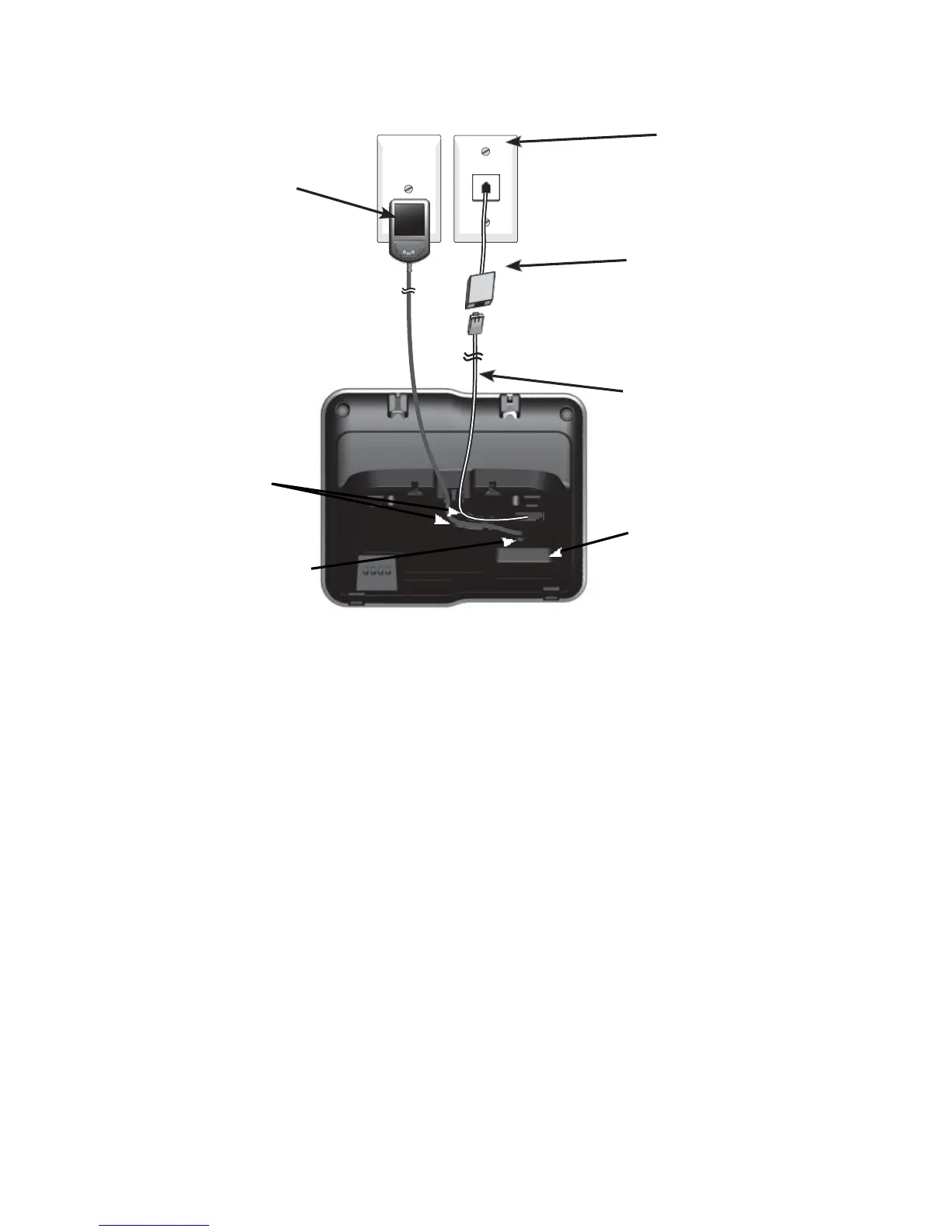
2.3 Connect the Corded Base Station
Plug the large end
of the larger power
adapter into an
electrical outlet not
controlled by a wall
switch.
Plug one end of the
telephone line cord
into a telephone jack
or a DSL filter.
A DSL filter (not included)
is required if you have
DSL high-speed Internet
service. The DSL filter
must be plugged into the
telephone wall jack.
Telephone line cord
Route the cords
through the slots.
Plug the small end
of the larger power
adapter into the power
jack on the back of the
telephone base.
Plug the other end of
the telephone line cord
into the TEL. LINE
jack on the back of the
telephone base.
NOTE
Use only the power adapter supplied with the base station.

Table of Contents

Related product manuals