103
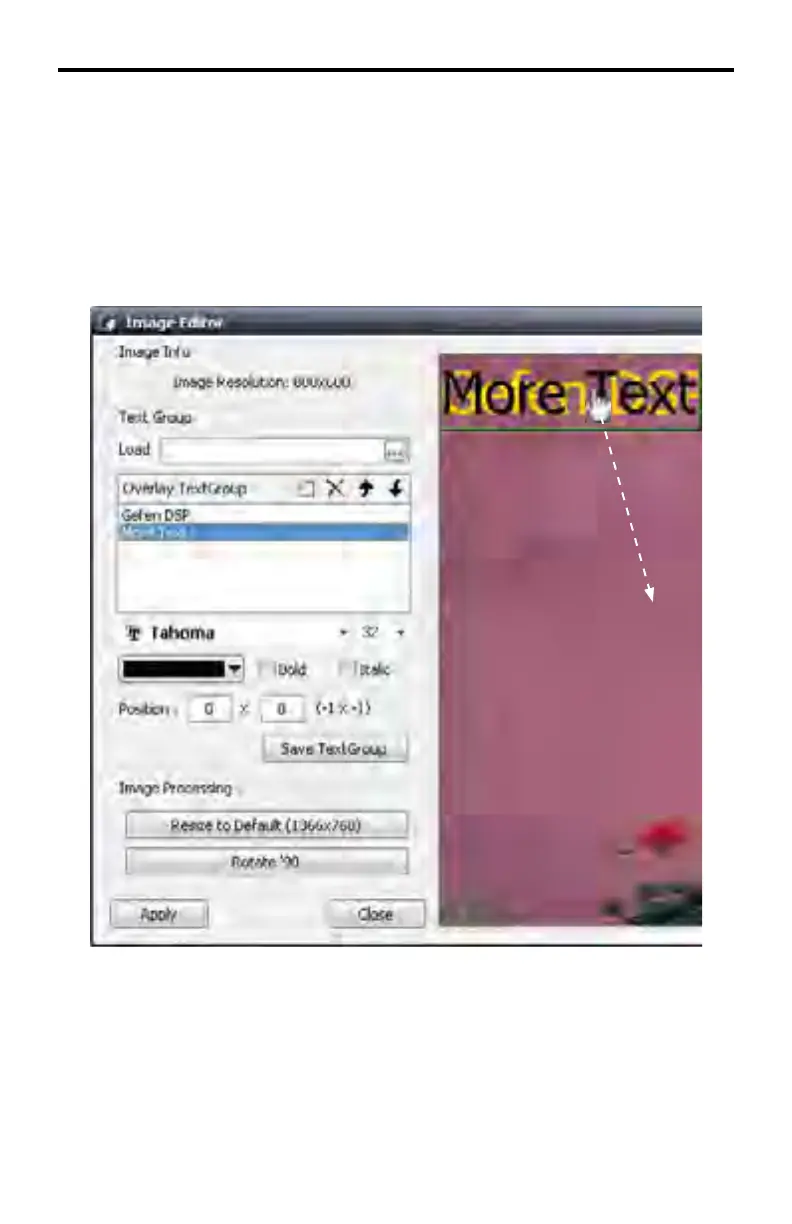
When moving a TextGroup in the image window, when multiple TextGroups are
being used, the TextGroup to be moved must be selected in the Overlay Text-
Group list box. Once the TextGroup has been selected in the Overlay TextGroup
list, move the mouse over the TextGroup in the image window and position the
TextGroup to the desired position.
In the example below, the TextGroup “More Text” has been selected in the Over-
lay TextGroup list.
The “More Text” TextGroup can now be moved without changing the position of
the “Gefen DSP” TextGroup.
DSP DESIGNER TUTORIAL



 To Next Page