36
Toolbars
Toolbar Options
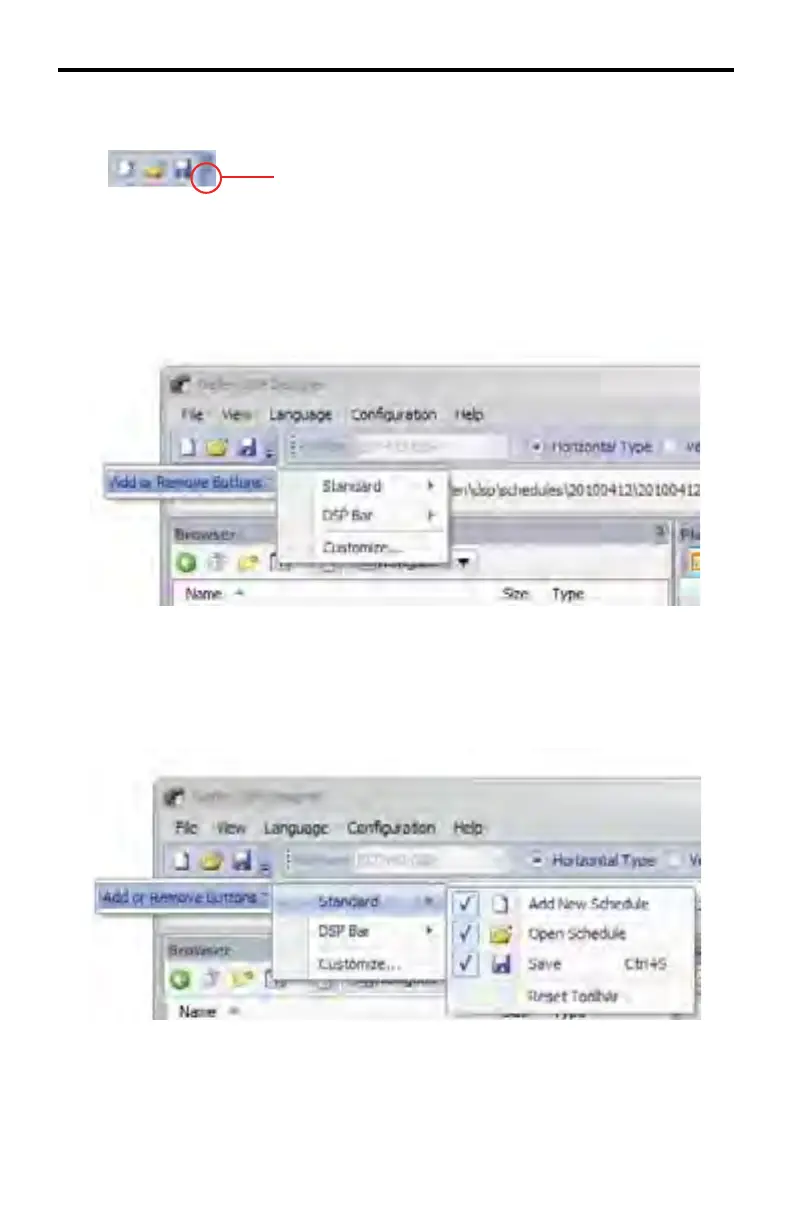
The Toolbar Options arrow, in the Standard Toolbar allows modifi cation of the
icons that appear in the Standard Toolbar and DSP Toolbar. Click the Toolbar
Options arrow to display the context menu.
Clicking the Toolbar Options arrow will display the Add or Remove Buttons menu.
Moving the mouse over the Add or Remove Buttons option will expand the menu.
Moving the mouse over the Standard option, will allow the addition or removal of
icons on the Standard Toolbar. A check mark indicates that the icon is present in
the Standard Toolbar.
DSP DESIGNER SOFTWARE



 To Next Page