70
Setting Playback Times
Once media has been imported into the Media Files tab, individual playtimes, as
well as other additional options, can be confi gured.
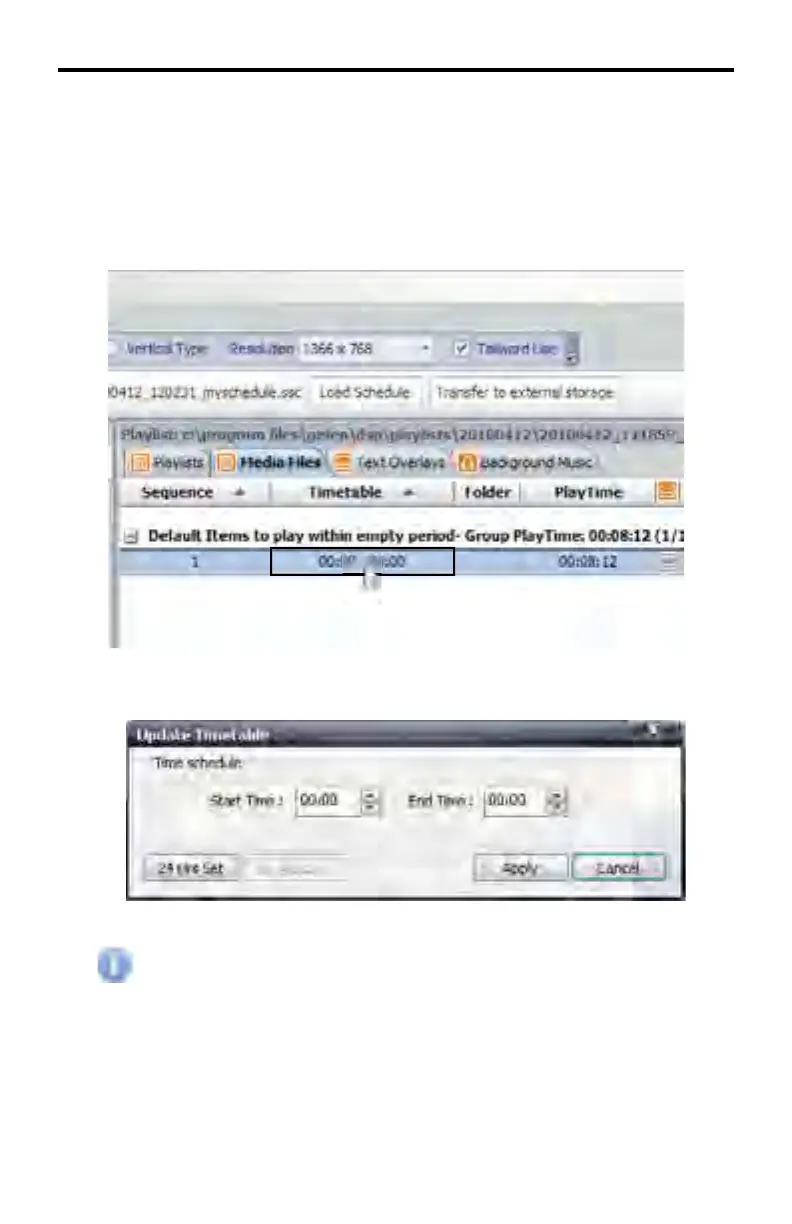
1. To set the playback time for media content double click on the value under
the Timetable column.
2. The Update Timetable dialog will be displayed.
All times in this window are set in 24 hour format. Use the 24 Hrs Set
button to reset all times to 00:00.
3. Set a start and end time.
DSP DESIGNER TUTORIAL



 To Next Page