34
Confi guration Menu
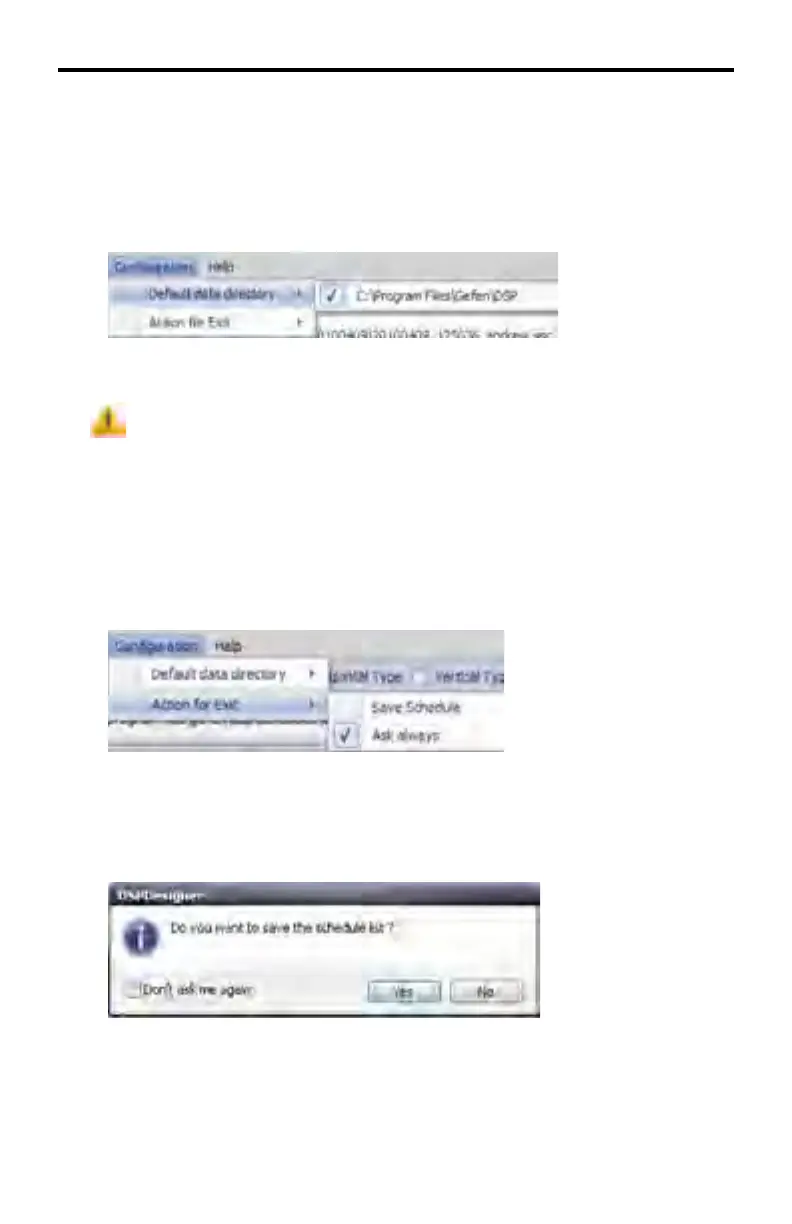
Confi guration > Default Data Directory
Indicates the current working directory. Clicking the marked path will display the
Browse for Folder dialog, allowing the working directory to be changed.
It is not recommended that the working directory be changed once it is
initially confi gured.
Confi guration > Action for Exit
Sets the default action when the DSP Designer is closed.
Save Schedule - Automatically saves the currently open Schedule File before
exiting the DSP Designer.
Always Ask - A dialog will be presented to confi rm that the DSP Designer is to be
closed and provide you with the option of saving the Schedule File or not.
The Don’t ask me again option may be enabled by clicking this box. If this option
is enabled, this dialog will not be presented and the DSP Designer will exit with-
out saving the currently open Schedule fi le.
DSP DESIGNER SOFTWARE



 To Next Page