102
Working with Multiple TextGroups
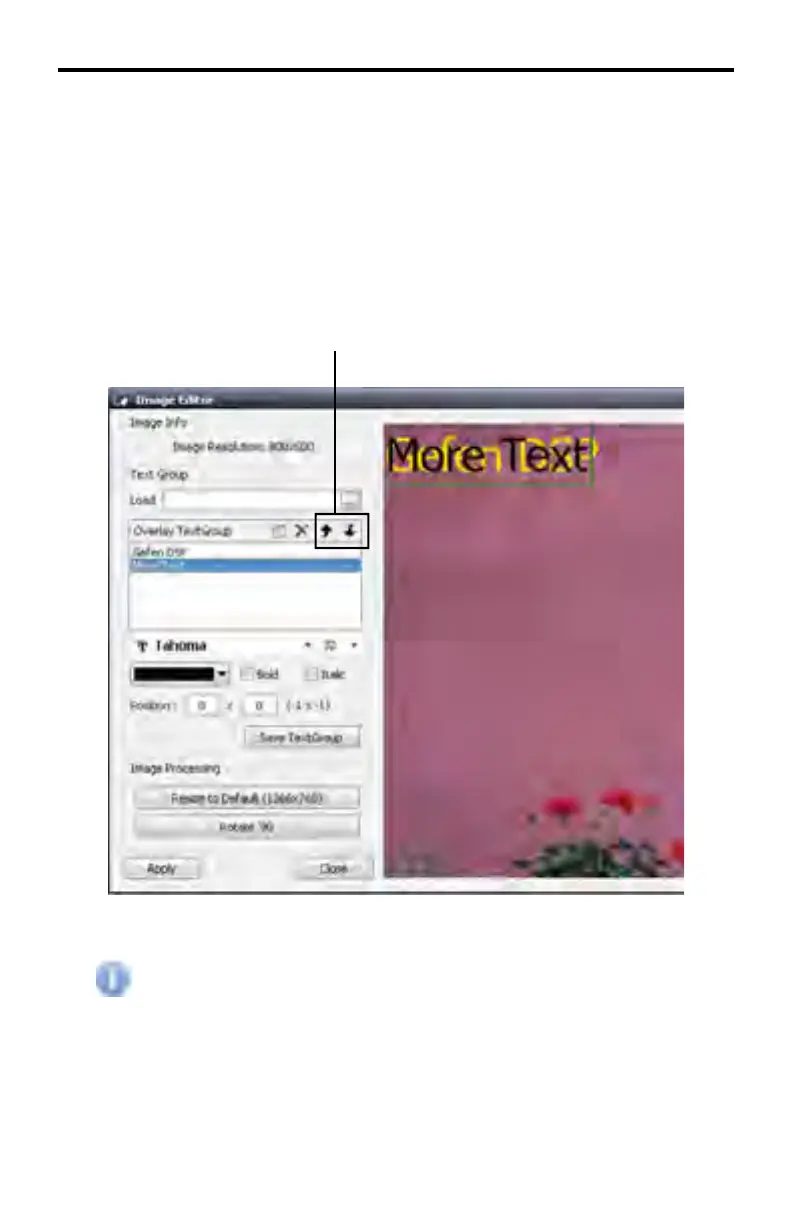
In the example below, a second TextGroup has been created. The text and color
of the second TextGroup has been changed in order to tell the two TextGroups
apart.
When a new TextGroup is created, the DSP Designer automatically places the
new TextGroup below the fi rst TextGroup in the Overlay TextGroup list box. The
TextGroup listing order can be changed using the Move Up or Move Down but-
tons.
Changing the order of the TextGroup in the Overlay TextGroup list does
not affect whether a TextGroup appears in front of or behind another
TextGroup in the image window.
DSP DESIGNER TUTORIAL
Move Up / Move Down



 To Next Page