33
• Resolution allows selection of different resolutions based on the media
orientation (Horizontal Type or Vertical Type).
Changing the values for Horizontal Type or Vertical Type will change the
resolution. The DSP Designer will attempt to select the proper resolu-
tion based on the selection of either Horizontal Type or Vertical Type
orientation.
• Tailword Use - This option adds the string “_Edited” to the fi lename. This
feature is used when Media Files are being edited using the “Multi Edit” but-
ton. Enabling this feature prevents the current fi le from being overwritten.
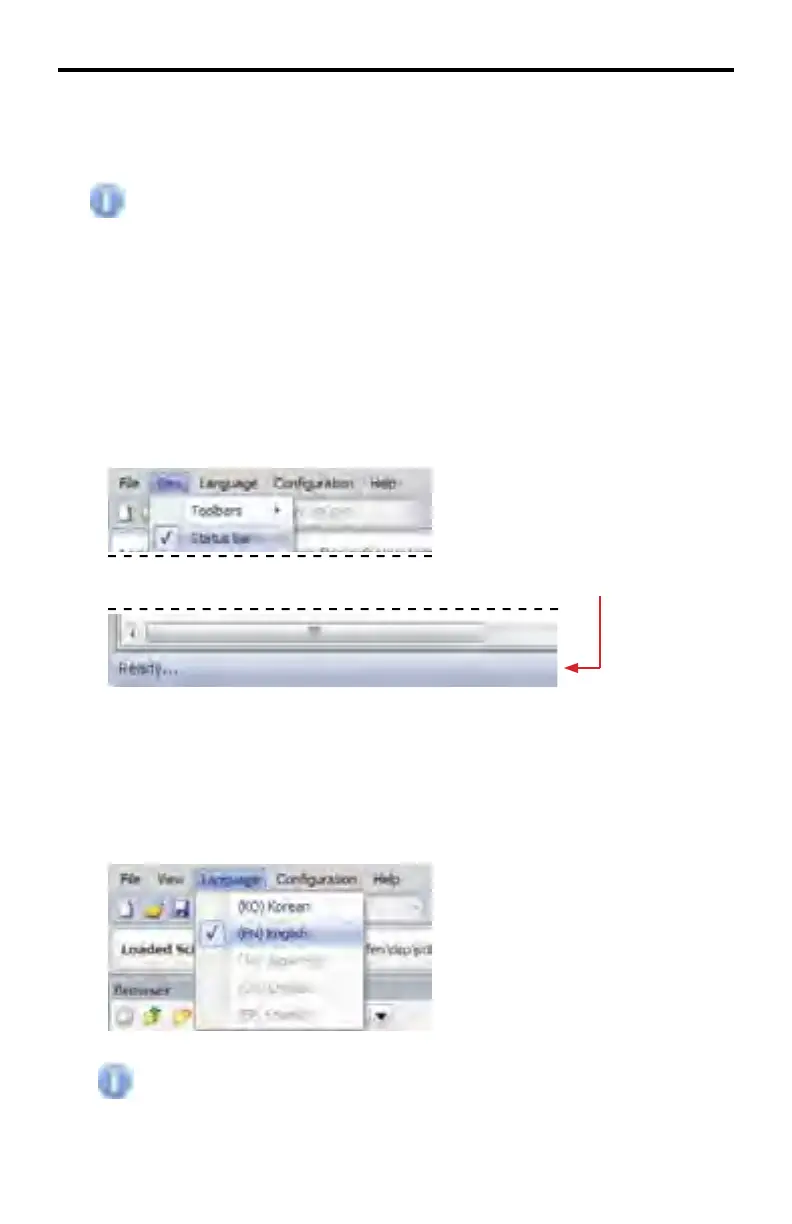
View > Status Bar
Enables or disables the Status Bar at the bottom of the DSP Designer window.
Status Bar
Language Menu
Language > (KO) Korean | (EN) English
The Language Menu will localize the DSP Designer software to the language
selected.
Only Korean and English languages are supported at this time.
DSP DESIGNER SOFTWARE



 To Next Page