113
A progress bar will indicate the exit-status of the DSP Server
software. This process will take a few moments.
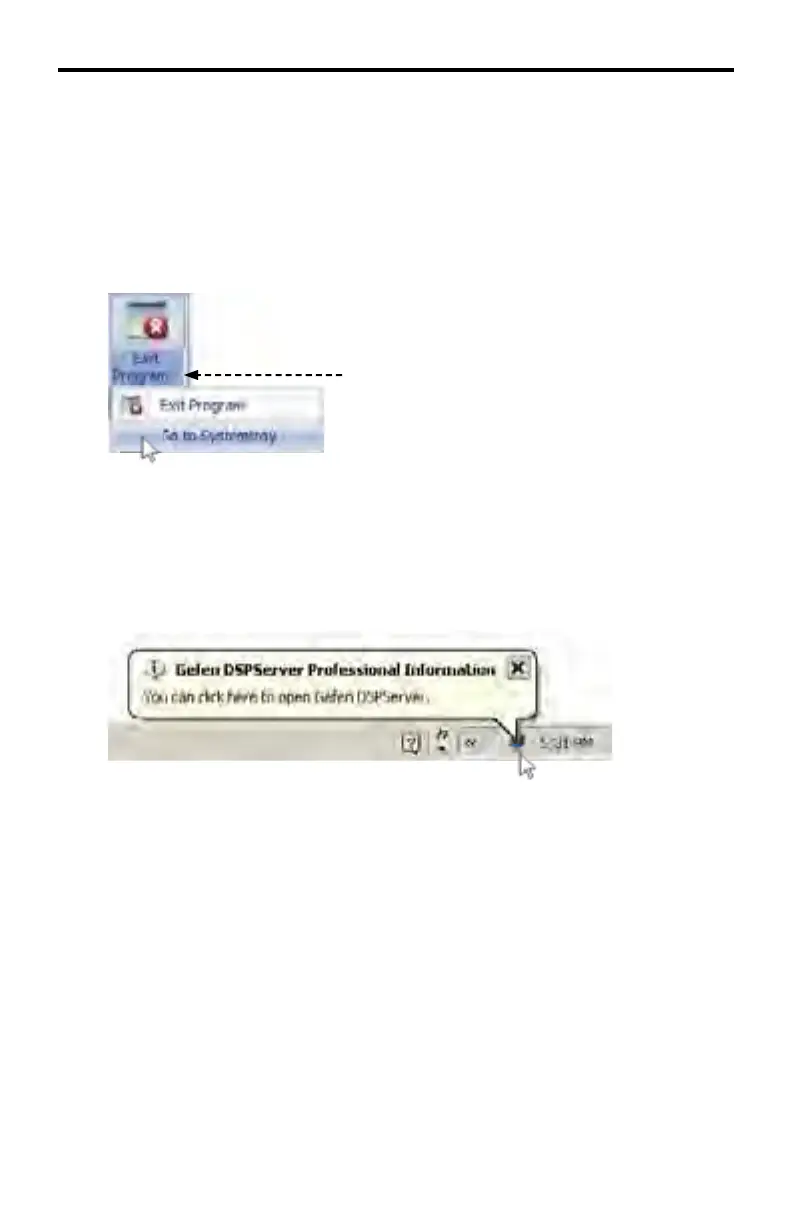
A secondary option exists which will minimizes the DSP Server software to the
System Tray. To do this, click the down arrow next to the Exit Program text:
Click arrow to expand Exit Program options.
Click the Go to Systemtray option.
The DSP Server will minimize to the System Tray but will continue to run in the
background:
To restore the DSP Server software to the normal window size, double-click the
DSPServer icon in the System Tray.
DSP SERVER SOFTWARE



 To Next Page