129
Device View Window Description
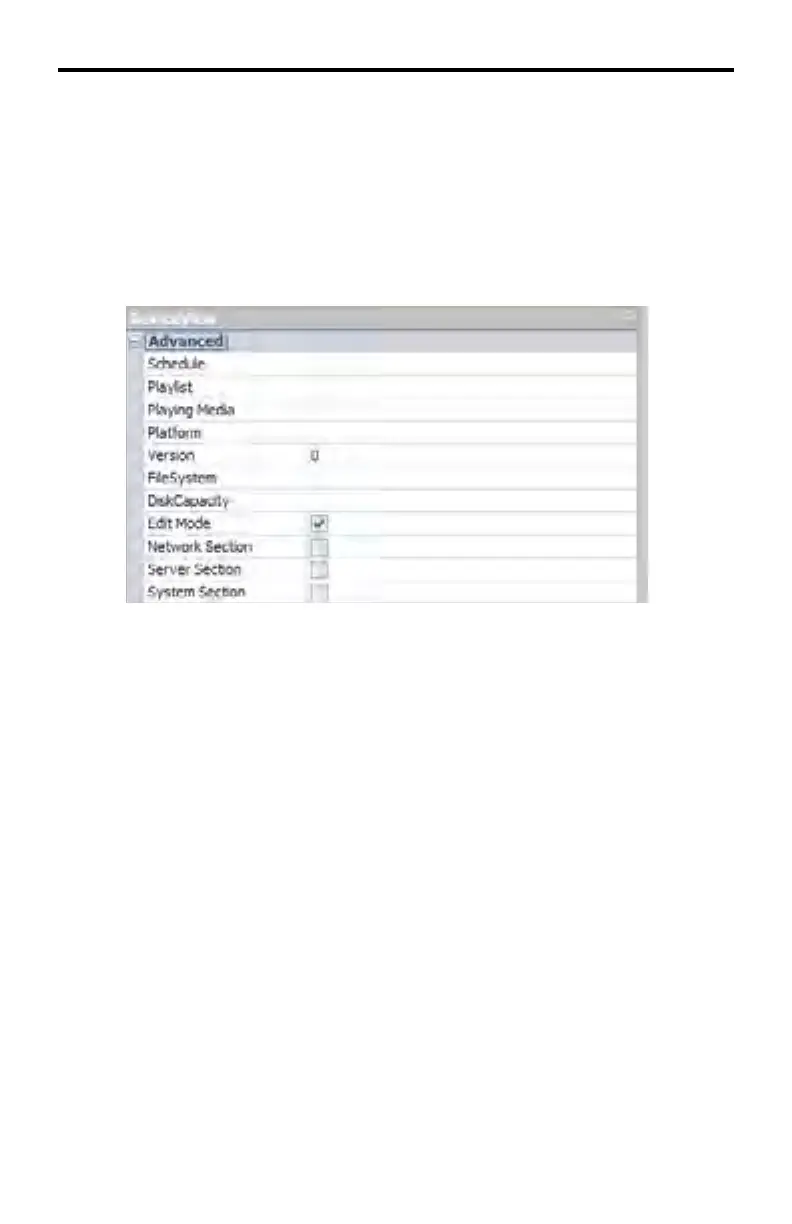
Each section (Advanced, Network, Server, System, System.Extra) can be hidden
by clicking the minus (-) symbol next to the name of the section. Once a section
has been hidden, it can be expanded by clicking the plus (+) symbol next to the
section name.
DeviceView > Advanced
DeviceView > Advanced > Schedule
The name of the schedule which is currently running.
DeviceView > Advanced > Playlist
The title of the playlist which is currently running.
DeviceView > Advanced > Playing Media
The name of the media currently playing.
DeviceView > Advanced > Platform
The platform to which the DSP Server is connected. This information in this sec-
tion will always EXT-HD-DSP.
DeviceView > Advanced > Version
The DSP Server fi rmware version.
DeviceView > Advanced > FileSystem
The fi le system which is used.
DeviceView > Advanced > DiskCapacity
Lists the remaining space on the DSP hard drive.
DSP SERVER SOFTWARE



 To Next Page