EasyManua.ls Logo

gefran VDL200 Series - User Manual

gefran VDL200 Series
66 pages
Print Icon
To Next Page IconTo Next Page
Loading...
.... Quick start up guide
Specification and installation
SIEIDrive
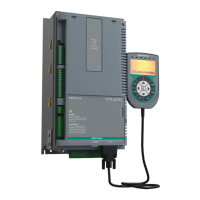
Vector inverter for lifts with
asynchronous motors
VDL200

Table of Contents

Other manuals for gefran VDL200 Series

Questions and Answers

  • B
    Brandon WaltersAug 15, 2025
    How to fix DC link overvoltage alarm on Gefran Inverter?
    • J
      Jennifer WolfAug 15, 2025
      To resolve a DC link overvoltage alarm on your Gefran Inverter due to energy recovered from the motor, try extending the deceleration ramp. Alternatively, use a braking resistor connected to the appropriate terminals to dissipate the energy.
  • C
    Christopher AcostaAug 18, 2025
    Why is my Gefran Inverter showing a DC link undervoltage alarm?
    • M
      Ms. Tracy AndersonAug 18, 2025
      If your Gefran Inverter shows a DC link undervoltage alarm, the issue might be due to mains voltage being too low or overextended voltage drops, or poor cable connections. Check the connections and the mains voltage to resolve this.
  • B
    Billy MitchellAug 21, 2025
    What to do if my Gefran Inverter displays a heatsink temperature too high alarm?
    • J
      jthomasAug 21, 2025
      To address a heatsink temperature too high alarm on your Gefran Inverter, verify the cooling fan is working correctly. Also, check that the heatsinks aren't clogged and that the openings for cabinet cooling air are not blocked.
  • N
    nvillegasAug 25, 2025
    How to troubleshoot instantaneous overcurrent alarm on Gefran Inverter?
    • D
      donald17Aug 25, 2025
      If your Gefran Inverter displays an instantaneous overcurrent protection intervention alarm, it could be due to incorrect current regulator parameter settings or a short circuit. Check the current regulator parameters (menu 17) and inspect the wiring towards the motor.
  • H
    henrydavidAug 27, 2025
    What causes the Input air temperature too high alarm on a Gefran Inverter?
    • M
      Mrs. Elizabeth EvansAug 27, 2025
      To resolve an Input air temperature too high alarm on your Gefran Inverter, check that the fan is operating correctly. Also, ensure the panel cooling air openings are unobstructed, and check the temperature inside the electrical panel.
  • C
    Christine ConleyAug 30, 2025
    What should I do if my Gefran Inverter displays an IGBT module temperature too high or too low alarm?
    • W
      William HerreraAug 30, 2025
      If your Gefran Inverter shows an IGBT module temperature alarm (too high or too low), verify the cooling fan's operation. Check that the heatsinks are not clogged and that the openings for the cabinet cooling air are not blocked.
  • D
    Dr. Ronnie WilliamsSep 2, 2025
    Why does my Gefran Inverter show a motor overtemperature alarm?
    • J
      James LeeSep 2, 2025
      If your Gefran Inverter is alarming due to a motor overtemperature, consider that the load cycle may be too heavy, the ambient temperature may be too high, or the motor's cooling fan may not be working. Change the processing cycle or use a cooling fan to cool the motor.
  • R
    reginald85Sep 5, 2025
    How to fix ground short circuit alarm on Gefran Inverter?
    • O
      ocalderonSep 5, 2025
      To address a ground short circuit alarm on your Gefran Inverter, check the drive and motor wiring. Also, verify that the motor is not grounded.
  • M
    Mckenzie RamirezSep 8, 2025
    What does instantaneous overcurrent in IGBT bridge alarm mean on my Gefran Inverter?
    • D
      Dr. Shawn WilliamsSep 8, 2025
      If your Gefran Inverter is experiencing an instantaneous overcurrent in the IGBT bridge alarm, try switching the drive off and then on again. Check the condition of the braking resistor isolation, ensuring there are no earth leakages. If the alarm persists, it is recommended to contact the technical service center.
  • L
    Lance SmithSep 12, 2025
    What to do if my Gefran Inverter displays a drive overload alarm?
    • A
      awrightSep 12, 2025
      If your Gefran Inverter displays a drive overload alarm, it means the inverter output current has exceeded the allowed overload value or the overload cycle has exceeded the allowed values. Check that the load is not excessive and that the overload cycle is within allowed limits.

Summary

Information about this manual

Software version

Manual update status based on software versions.

General information

General notes on terms, safety, and product modifications.

Safety Precautions

Symbols used in the manual

Explanation of symbols used for warnings and important notes.

Safety precaution

General safety instructions for handling electrical drives.

General warnings

Warnings about dangerous voltages, mechanical parts, and electrical hazards.

Disclaimer

Limitation of liability and usage conditions.

Introduction to the product

Dedicated features

Specific features of the VDL200 for lift applications.

Other features

Additional functionalities and characteristics of the VDL200 drive.

Identification of components

Diagram and explanation of the inverter's functional blocks.

Product identification

Details on product code, data plate, and model naming conventions.

Transport and storage

General

Guidelines for careful handling, packing, and unpacking of the drive.

Permissible Environmental Conditions

Specifies temperature, humidity, and air pressure limits for storage and transport.

Specification

Environmental Conditions

Details installation location, altitude, operating temperature, and air humidity.

Standards

Lists applicable standards for climatic conditions, safety, EMC, and approvals.

Precision

Details performance specifications for speed and torque.

Input electrical data

Tables for input voltage, frequency, and current for different sizes.

Output electrical data

Details output specifications and derating factors.

Voltage level of the inverter for safe operations

Specifies the minimum waiting time before internal operation after power-off.

No-load consumption (Energy rating)

Table showing stand-by and fan consumption for different drive sizes.

Cooling

Details heat dissipation, fan capacity, and cabinet opening requirements.

Weights and dimensions

Provides physical dimensions and weight for different drive sizes.

Options

Optional external fuses

Lists recommended fuses for network side protection.

Input chokes

Explains the benefits and types of input chokes.

AC output chokes

Recommends AC output chokes for standard motors and long cable runs.

External braking resistors (optional)

Lists recommended external braking resistors and their technical data.

EMC Filter (optional)

Details optional external EMC filters, their specifications, and compliance.

Mechanical installation

Maximum inclination and assembly clearances

Specifies mounting angle and clearance requirements for airflow.

Fastening positions

Illustrates mounting hole positions and screw recommendations.

Wiring Procedure

Power section

Instructions for connecting the power components of the drive.

Regulation section

Instructions for connecting control and feedback signals.

Connection diagrams

Wiring diagrams for typical configurations and emergency setup.

Serial interface (PC connector)

Drive;RS232 port point-to-point connection

Instructions for connecting the drive to a PC via RS232.

Optional Keypad interface (keypad connector)

Braking

Braking unit (internal)

Explanation of the internal braking unit operation and technical data.

Use of the keypad

Description of KB-ADL optional programming keypad

Overview of the keypad hardware and functionality.

Navigating with the optional keypad

Detailed guide on using the keypad for parameter access and configuration.

Commissioning via keypad

Asynchronous motor startup wizard (with the optional keypad)

Guided procedure for initial motor setup and drive configuration.

Troubleshooting

Alarms

Table of error codes, conditions, and solutions for drive alarms.

Speed fbk loss alarm according to the type of feedback

Information on speed feedback loss alarms and their causes.

Messages

Table of system messages, conditions, and solutions.

Appendix

I;O Specification

Details on digital inputs, relay outputs, and analog inputs.

Encoders and Phasing

Information on encoders and procedures for correct motor control.

Brake monitoring system (A3 Amendment)

Details on the brake monitoring function, configuration, and troubleshooting.

gefran VDL200 Series Specifications

General IconGeneral
CategoryDC Drives
Output CurrentUp to 200A
FeedbackTachometer, Encoder
CommunicationProfibus, CANopen
ProtectionOvercurrent, Overvoltage, Overtemperature
Operating Temperature0°C to 40°C
Storage Temperature-20°C to 70°C
Humidity5% to 95% non-condensing

Related product manuals