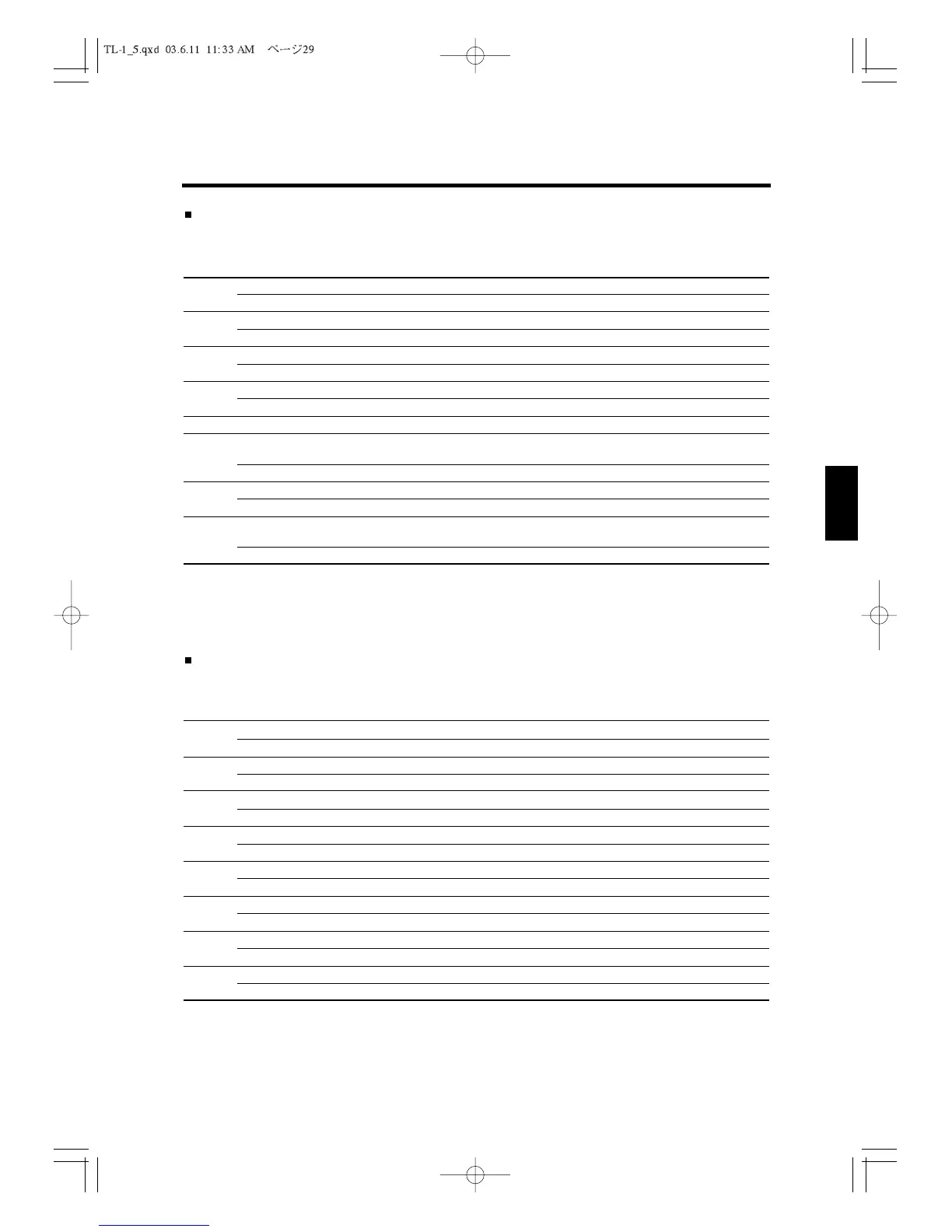
Flag 5
Enter 0 or 1 for each bit (N1 to N8), and press
ENTER
each time to fix your decision.
Bit#: Options: Function:
N1
0 Round at finalization by the [TOTL] key operation.
1 Do not round at finalization by the [TOTL] key operation.
N2
0 Round at finalization by the [CHRG] key and [CARD] key operation.
1 Do not round at finalization by the [CHRG] key and [CARD] key operation.
N3
0 Round at finalization by the [CHKS] key operation.
1 Do not round at finalization by the [CHKS] key operation.
N4
0 Round at finalization by the [CASH/TEND] key operation.
1 Do not round at finalization by the [CASH/TEND] key operation.
N5
0Always enter "0".
N6
0 Disable the Swiss method of rounding
For information about the Swiss method, consult your dealer.
1 Enable the Swiss method of rounding.
N7
0 Select the first digit in the decimal to be rounded in tax calculations.
1 Select the last digit to be rounded in tax calculations.
N8
0 Select the first digit in the decimal to be rounded in percentage and multiplication
calculations.
1 Select the last digit to be rounded in percentage and multiplication calculations.
To move to next Flag, just press
PAGE UP
. If you wish to skip to Flag 23 directly, enter 23
and
DSGN
.
To return to PROGRAM 2 MENU, just press
ESC
.
Flag 6
Enter 0 or 1 for each bit (N1 to N8), and press
ENTER
each time to fix your decision.
Bit#: Options: Function:
N1
0 Do not print the individual tax amounts on the receipt and journal.
1 Print the individual tax amounts on the receipt and journal.
N2
0 Do not print the amount which the tax is added to.
1 Print the amount which the tax is added to.
N3
0 Do not print the Value Added Tax (VAT) on the receipt and journal.
1 Print the Value Added Tax (VAT) on the receipt and journal.
N4
0 Do not print the amount excluding VAT for items which include VAT.
1 Print the amount excluding VAT for items which include VAT.
N5
0 Print the quantity of each item sold on the receipt and the journal.
1 Do not print the quantity of each item sold.
N6
0Print the transaction number (Consecutive number) on the receipt and the journal.
1 Do not print the transaction number on the receipt and the journal.
N7
0Print the date on the receipt and journal.
1 Do not print the date on the receipt and journal.
N8
0Print the time on the receipt and journal.
1 Do not print the time.
To move to next Flag, just press
PAGE UP
. If you wish to skip to Flag 23 directly, enter 23
and
DSGN
.
To return to PROGRAM 2 MENU, just press
ESC
.
5. P2 programming
29
1
2
3
4
5
6
7
8
9
10
11
12



 To Next Page