7.4 Voiding a Sales After the Transaction Has Been
Finalized
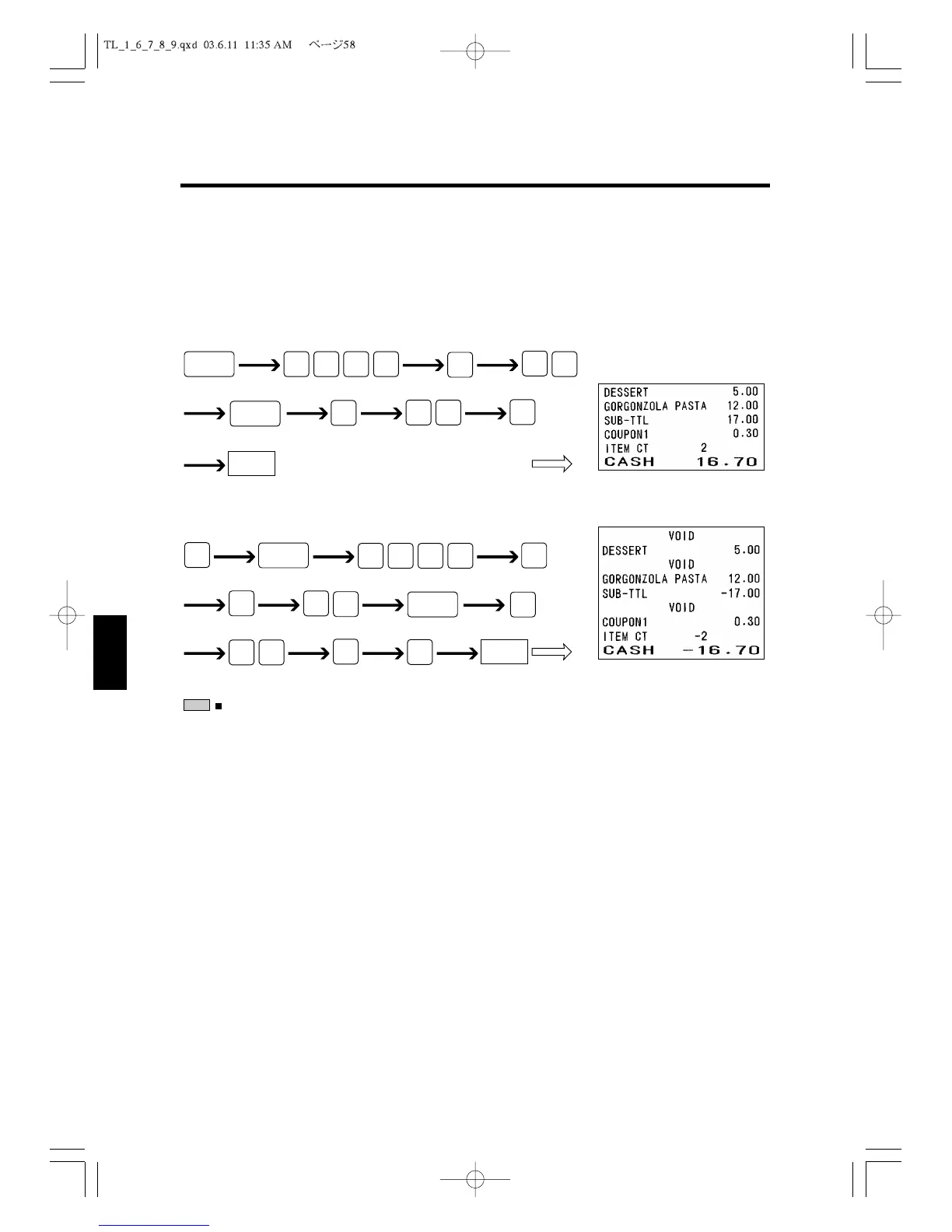
You can void a sales transaction registered earlier. To void the earlier sales transaction,
use the
VOID
Key. The following example shows how you void the sales shown by the
receipt “A”.
A)
To void the above transaction:
:
For direct PLU on the flat keyboard press
void
,
PLU1
for
1 void PLU.
7.5 Voiding a Sales at V Control Lock Key Position
At V position, by the exact same steps as those at R position, the sales transaction regis-
tered earlier can be voided without frequent
VOID
key operation.
NOTE
CASH



 To Next Page