6.5 Change Calculations
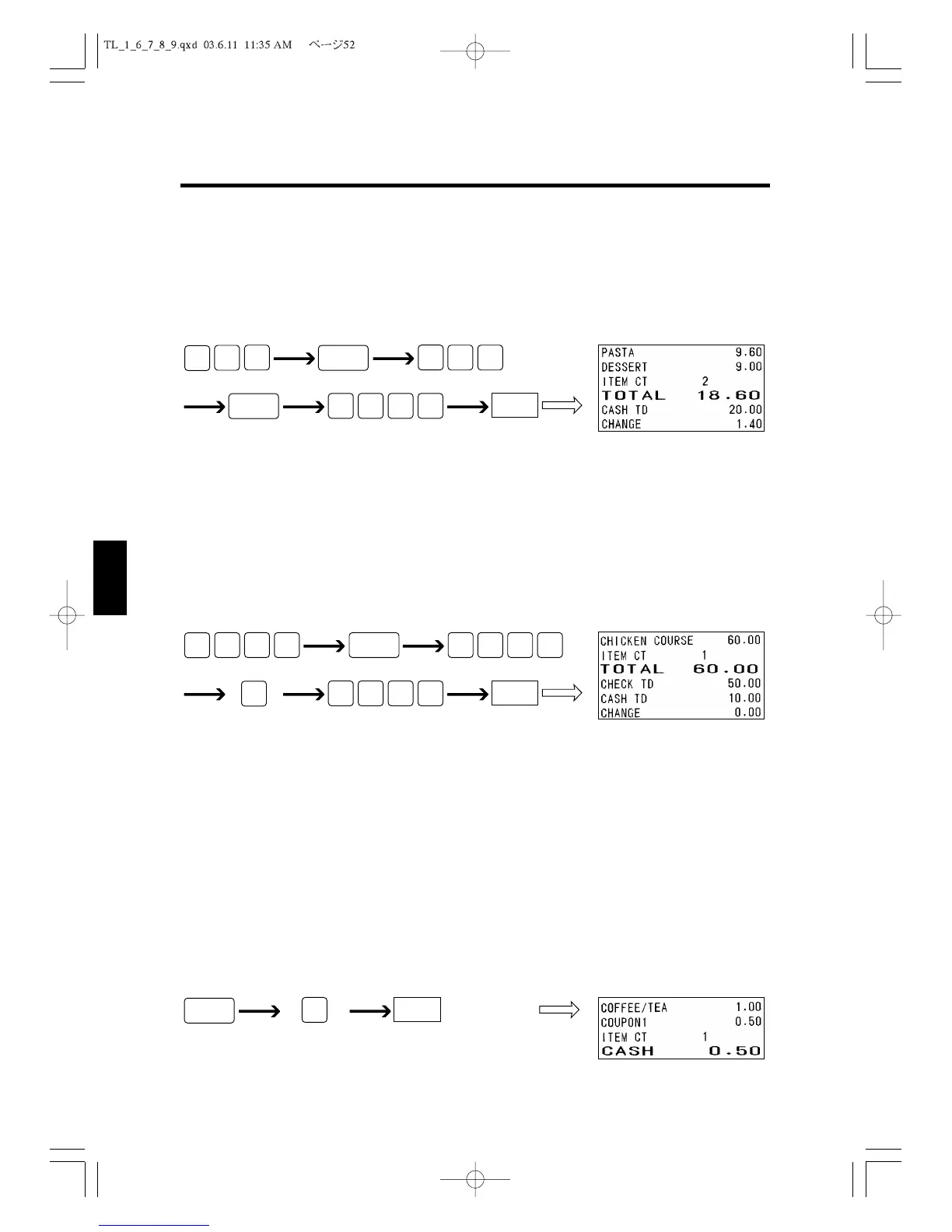
Your register can calculate the change due when the amount received from a customer is
more than the sales amount. The following example shows how you enter an amount of
$20.00 received from a customer when you are selling an item from Department 4 for $9.60
and Department 3 for $9.00.
6.6 Tendered Amount Entries
Your register allows you to enter the amount received from a customer. You can enter
each of the amounts paid by cash, check or charge in a single sales transaction. The follow-
ing example shows that the customer gives the operator a $50.00 check and a $10.00 bill
for a $60.00 total amount.
6.7 Discounting with the [-] Key
This section describes how to operate the cash register when discounting a certain amount
from the price of an item. You can either use the preset discount amount or you can enter
the amount of the discount from the keyboard. For instructions about setting the discount
amount, see section 4.6 to 4.8, “Setting DISCOUNT (-), +%, -%.”
For Each Item
When you want to discount a preset amount from an item, do the following.
Discount preset amountDepartment
CASH



 To Next Page