Multiplication Entries
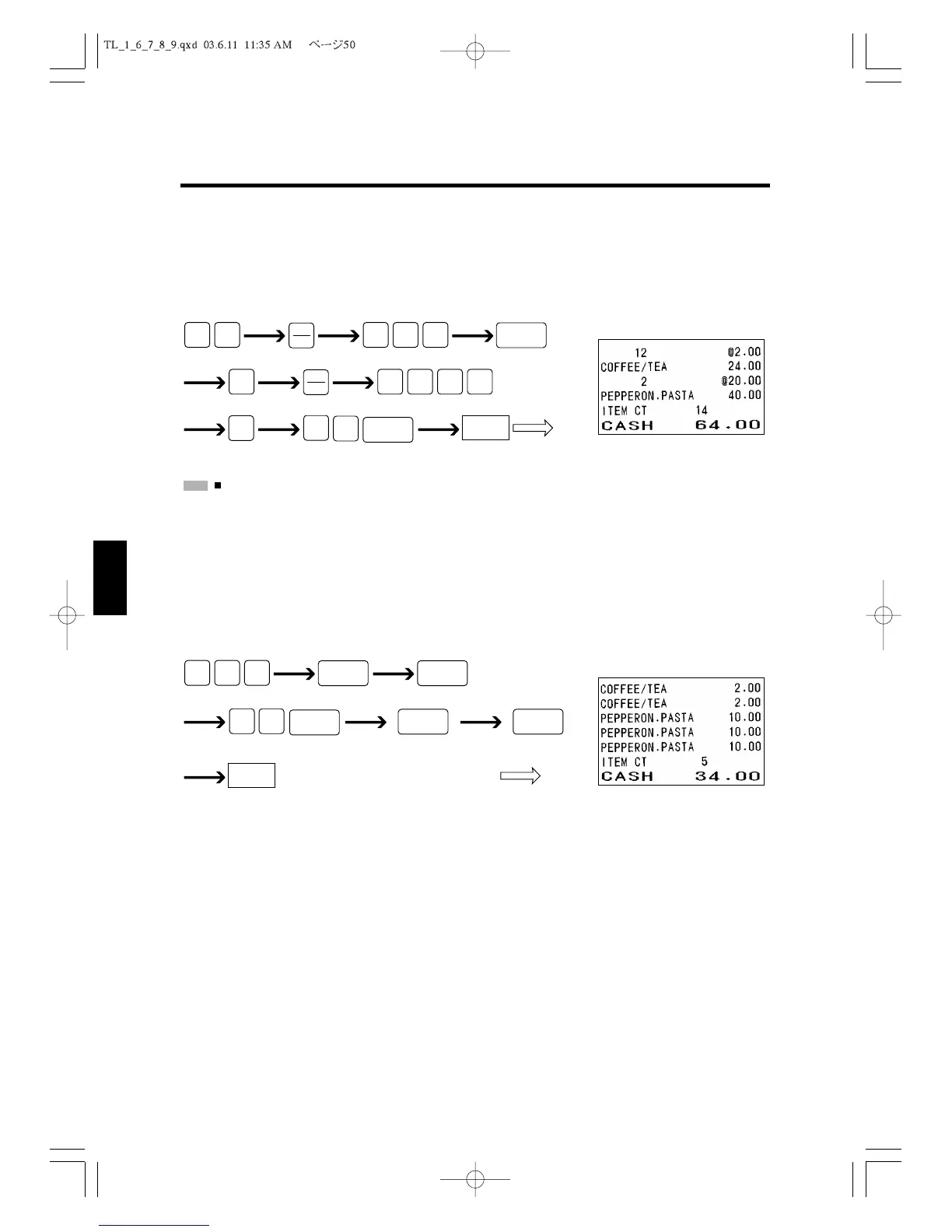
Your register can perform multiplication to register multiple identical items.
The following example shows how you sell 12 of the same item for $2.00 each and 2 of the
same item with a PLU code 41.
:
If the system flag has been set for the “First enter unit price, then enter quantity” option, first enter the
unit price, press the
X/TIME
Key, and then enter the number of the item. To select the order in which
information is entered for multiplication, see “Flag 1” in section 5.1, “Setting SYSTEM FLAG.”
Repeated Entries
Your register allows you to perform repeated entries. The following example shows how
you can sell 2 of Department 1 items for $2.00 each and 3 items with PLU code 52.
Displaying the Subtotal
You can display the current subtotal during the sales transaction. Just press the
#/ST
Key.
6.3 Receipt On or Off Mode
You can control printing of receipts by setting your cash register in Receipt On or Off
mode. The ID key works as Receipt On/Off key when it is pressed directly without any
numeric key input. Each time you press an ID key directly, the Receipt On or Off mode
will change. (Please refer to 'Receipt ON/OFF.)
CASH
RepeatedRepeatedPLU code 52



 To Next Page