This chapter explains how to make corrections to sales information that has been entered
or registered.
7.1 Correcting Numbers That Have Been Entered
This cash register allows you to correct the numbers you enter with the numeric keys. To
correct a wrong number, press the
CLEAR
Key immediately after entering the number.
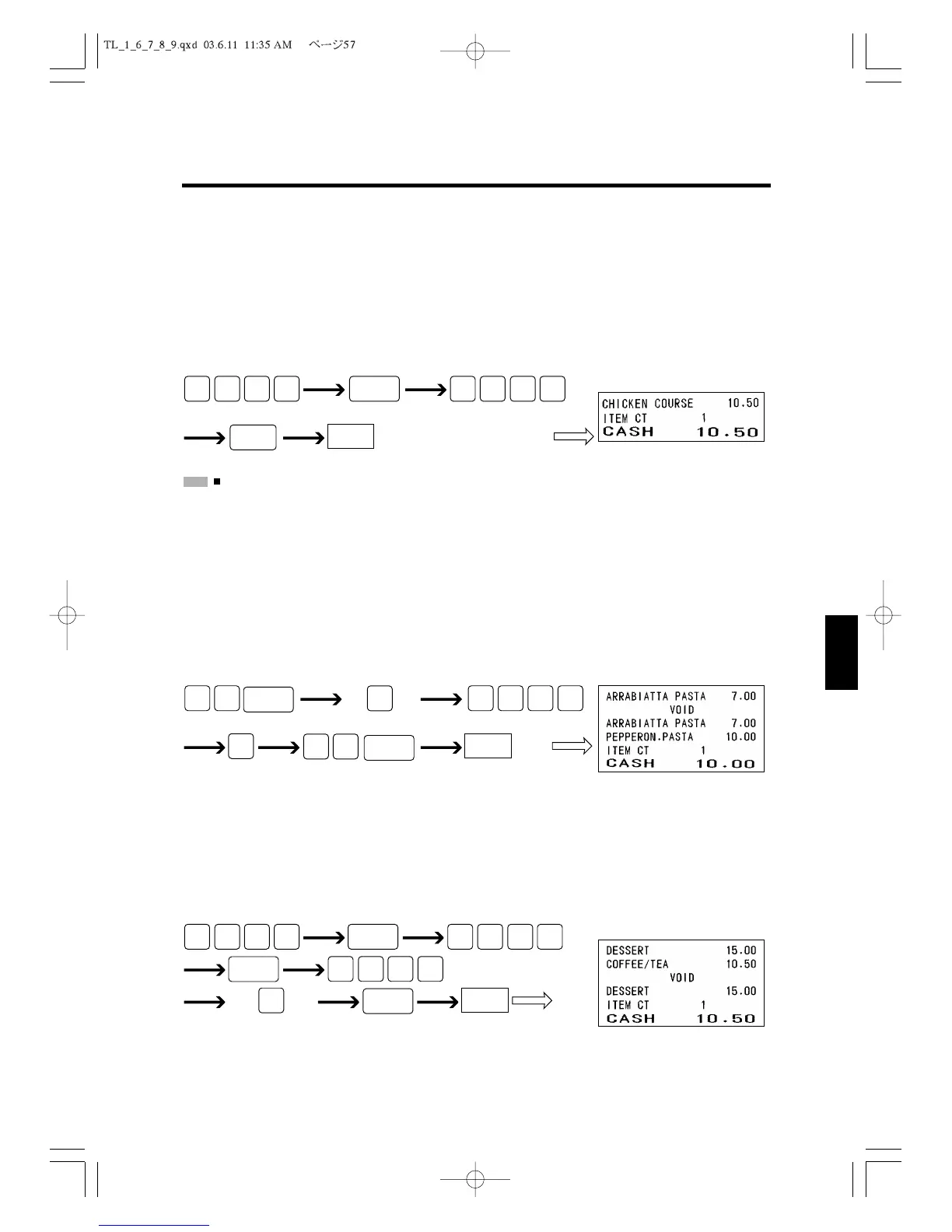
The following example shows how you correct a mistakenly entered amount.
:
You cannot correct the number with the
CLEAR
Key after the department has been pressed.
7.2 Voiding the Last Entry
You can void an item you have registered immediately after you register it. To void the
mistakenly registered item, press the
EC
Key immediately after registering the item.
The following example assumes that you entered a PLU code using the $5.00 of unit price
when you wanted to change price. It shows how to void the registered unit price and enter
the price you want.
7.3 Voiding Earlier Entries
You can also void items you have registered prior to the last item. To void items entered
earlier, use the
VOID
Key. The following example shows how to void the first item regis-
tered during this transaction.
Voids the Department 3
item registered first
CASH



 To Next Page