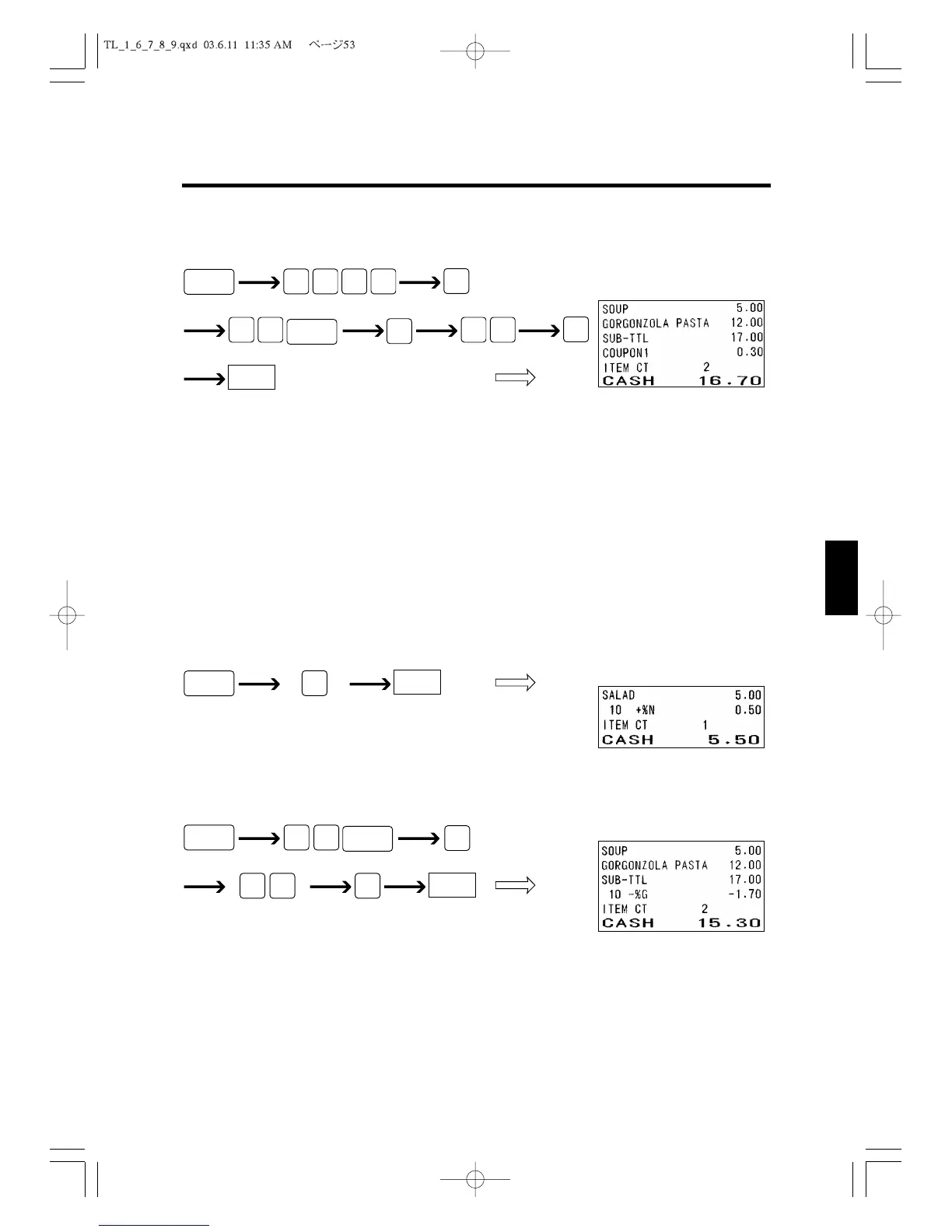
For the Total
When you want to discount an amount from the total amount, do the following.
6.8 Using the [+%] Key and [-%] Key
This section describes how to operate the cash register when giving a percentage discount
or adding a percentage to the price of an item. You can use the preset percentage or you
can enter the percentage to use with numeric keys. For instructions about setting discount
percentage amount, see section 4.6 to 4.8, “Setting DISCOUNT (-), +%, -%.”
For Each Item
When you want to add a preset percentage to the price of an item, do the following.
For the Total
When you want to discount a percentage from the total amount, do the following.
Discount percentage
CASH



 To Next Page