Receipt On/Off Indicator
At R or V mode, Receipt On/Off is displayed by
pressing ID key.
: When you key in any number up to maximum of four digits followed by an ID key,
the key works as Clerk Identification key.
Second Receipt (Receipt after Sale)
Even when the cash register is operating in Receipt Off mode, you can issue a receipt by
pressing the TOTL key after a transaction is finalized (This feature is called 'Receipt after
Sale'). Optionally, if the receipt is On, a second (additional) receipt may also be issued.
6.4 Check and Charge
This section explains how to operate the cash register when you do not receive cash for the
sale.
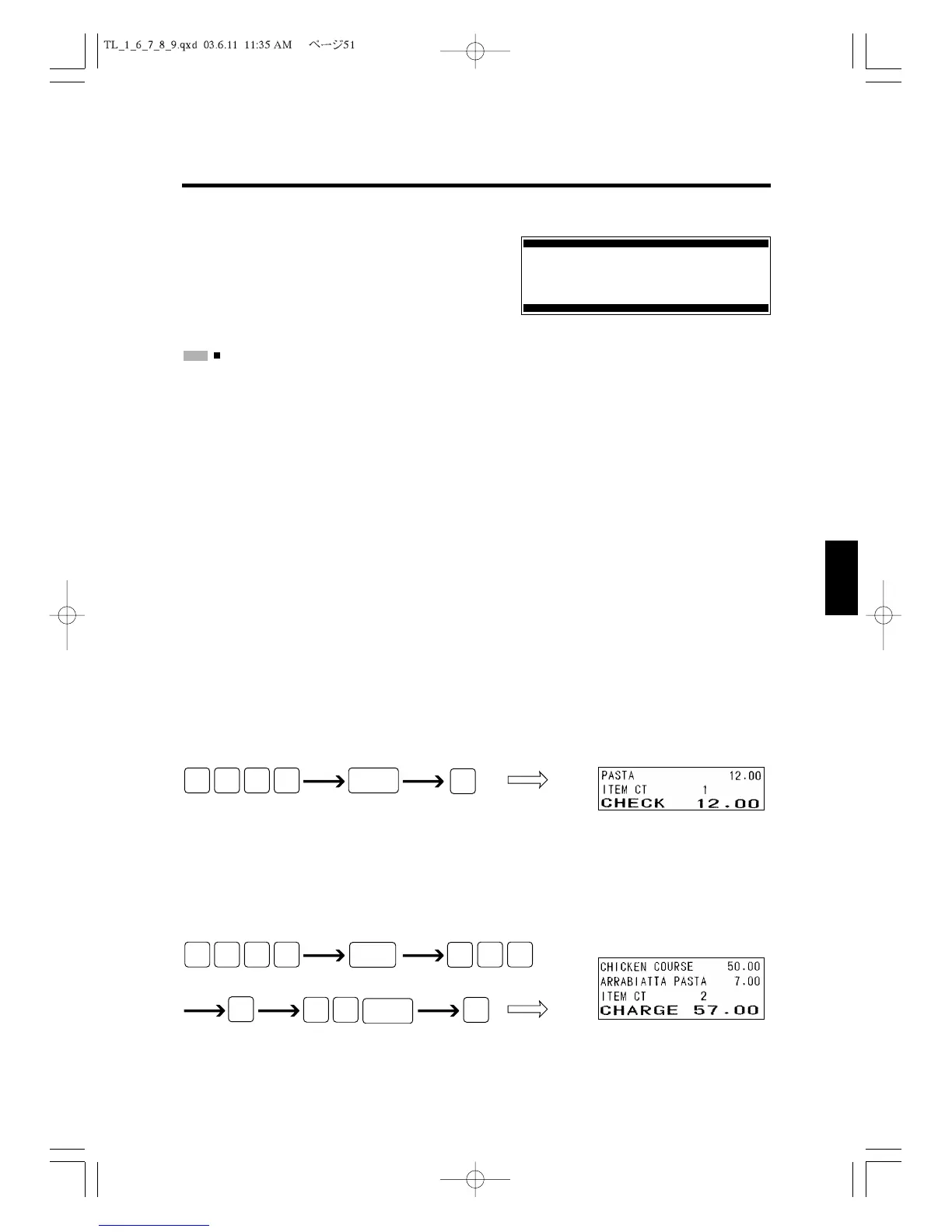
Check Sale
You can register sale paid by check with the
CHKS
Key. The following example shows
how you enter the sales information when the customer pays by check for a $12.00 item
from Department 4.
Charge Sale
When your customer charges his purchase, you can enter the sales amount charged by the
customer with the
CHRG
Key. The following example shows that the customer is charging
a $50.00 item from Department 6 and a $7.00 item with PLU code 50.
PLU code 50



 To Next Page