Getting Started with the GERBER EDGE 15
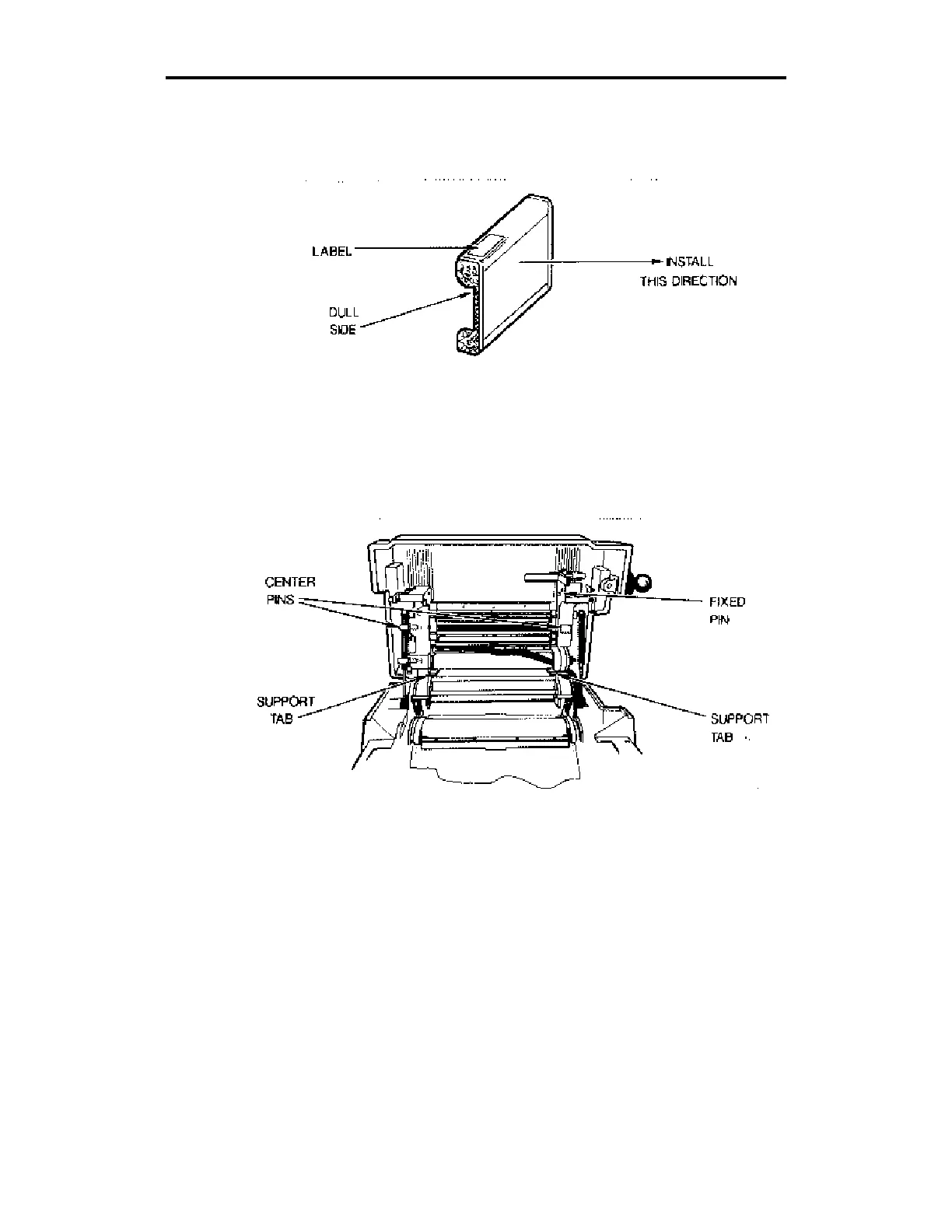
5. Remove and discard the core locks (foam donuts) from the color
cartridge. Load the black color cartridge with the label on the top
right of the cartridge and the dull side of the foil facing you.
The GerberColor cartridge.
6. Rest the color cartridge on the support tabs below the printhead
assembly. Align the center notches in the sides of the color cartridge
with the center pins and seat the cartridge on the fixed pins in the
right side of the printhead assembly.
Installing the color cartridge.
7. Release the left center cartridge pin, then release the top and bottom
cartridge pins.



 To Next Page