28 GERBER EDGE Owner's Guide
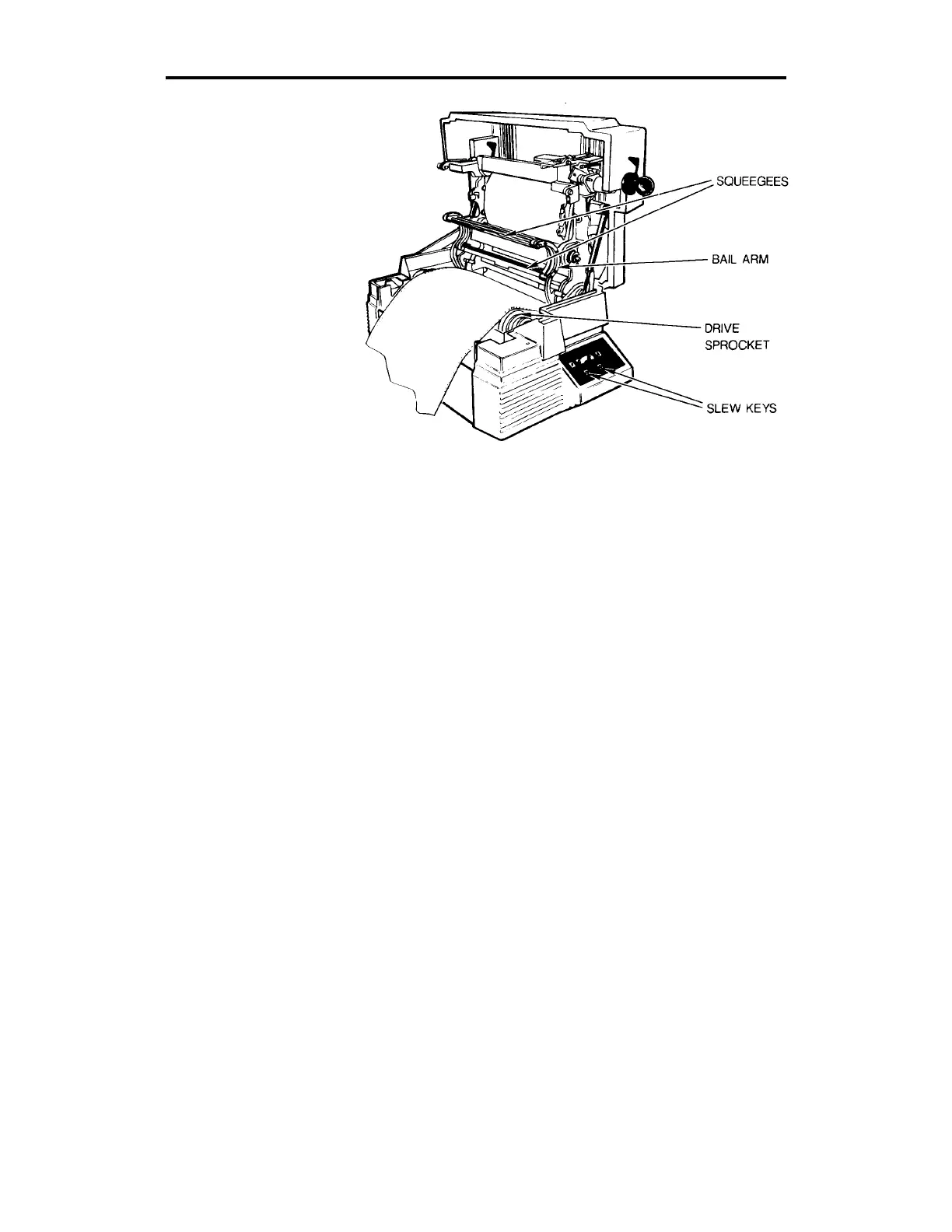
Loading the material into the GERBER EDGE.
8. Seat the three-hole pattern in the material over the three closely-
spaced teeth in each sprocket and close the bail arms.
9. Slew the vinyl back and forth so that the squeegees clean the area to
be printed. Leave a leader of at least 2 inches beyond the front
squeegee.
Loading the Color Cartridge
The printhead, foil squeegee, and color cartridge must be cleaned before
the color cartridge is loaded. Refer to the paragraphs on cleaning the foil
and the printhead in the "Maintaining Print Quality" section of this
manual for instructions.
The color cartridge rests on support tabs inside the top cover and is held
in place with fixed pins on the right side and spring-loaded cartridge
pins on the left side.



 To Next Page