21
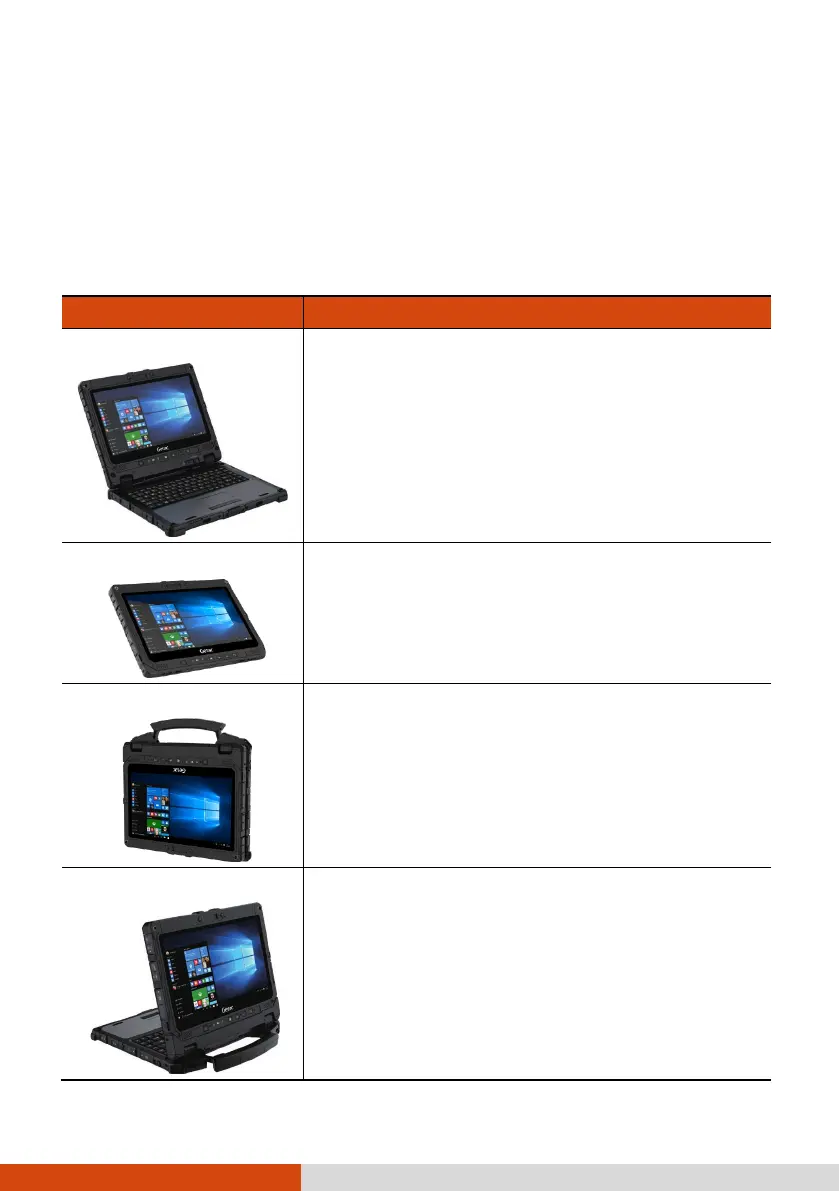
Multiple Usage Modes
NOTE: The Keyboard Dock can be purchased separately. Specific models
come with the Keyboard Dock.
With the Keyboard Dock, you can use K120 in different usage modes. (For
information on how to change modes, see “Changing Usage Modes” later.)
Usage Mode Description
Notebook Mode
When the Tablet and Keyboard Dock are
assembled, the system works as a regular
notebook computer.
Tablet Mode
You can easily detach the Keyboard Dock and
leave it behind when you desire the portability
of the Tablet.
Convertible Mode
You can transform the system from notebook to
tablet and back again.
For the transformation, the Tablet has to be
detached, flipped over, and then reattached.
NOTE: This mode is not supported if the high-
capacity battery packs are installed.
Presentation Mode
When the screen faces outwards, you can use
the Keyboard Dock as a stand for the Tablet.
NOTE: This mode is not supported if the high-
capacity battery packs are installed.



 To Next Page