54
Connecting Peripheral Devices
Connecting a Display Monitor
If you want the benefits of a larger display screen with higher resolution,
you can connect an external display monitor to your computer
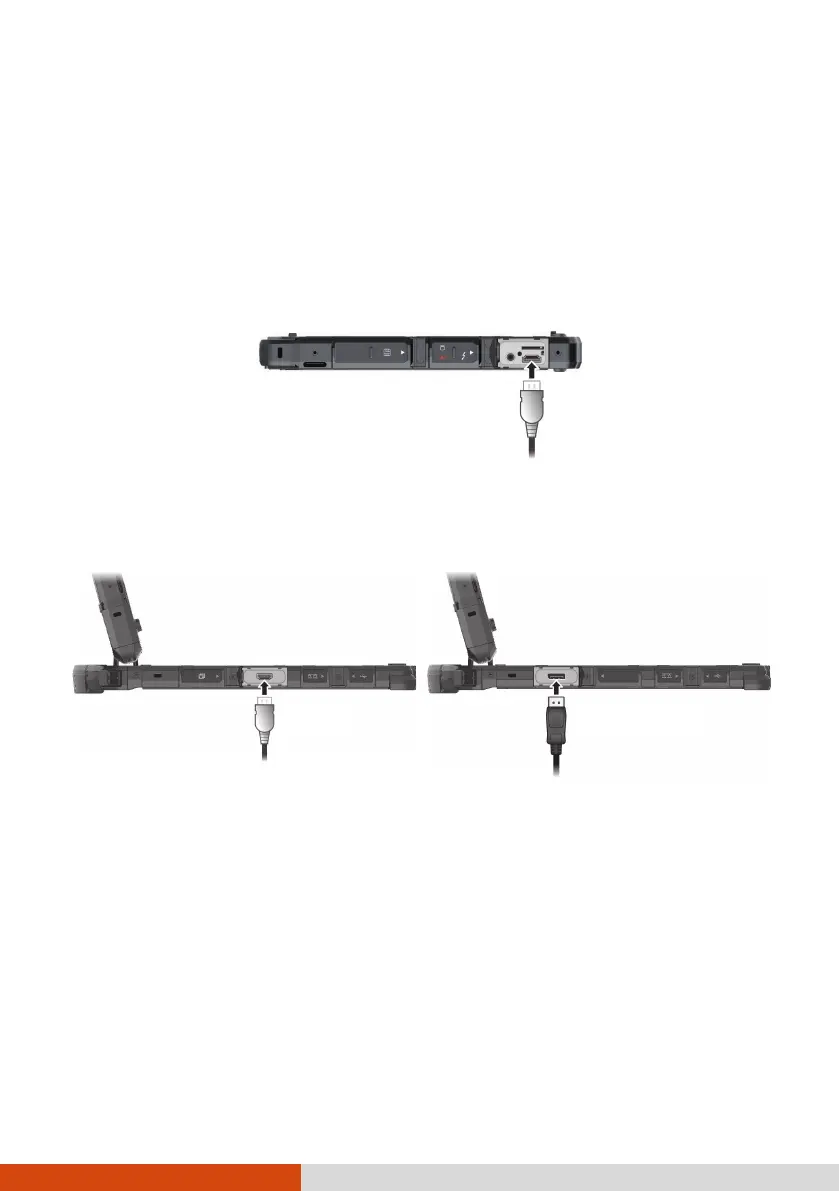
The Tablet has an HDMI connector.
The Keyboard Dock has a HDMI connector and a DisplayPort connector.
Depending on the type of your monitor, plug the monitor’s signal
connector to the HDMI or DisplayPort connector.
You can switch the display output by using Windows Control Panel, OSD
Control Panel, or Fn+F5 (if the Keyboard Dock is connected).



 To Next Page