61
Changing or Replacing
Replacing the SSD
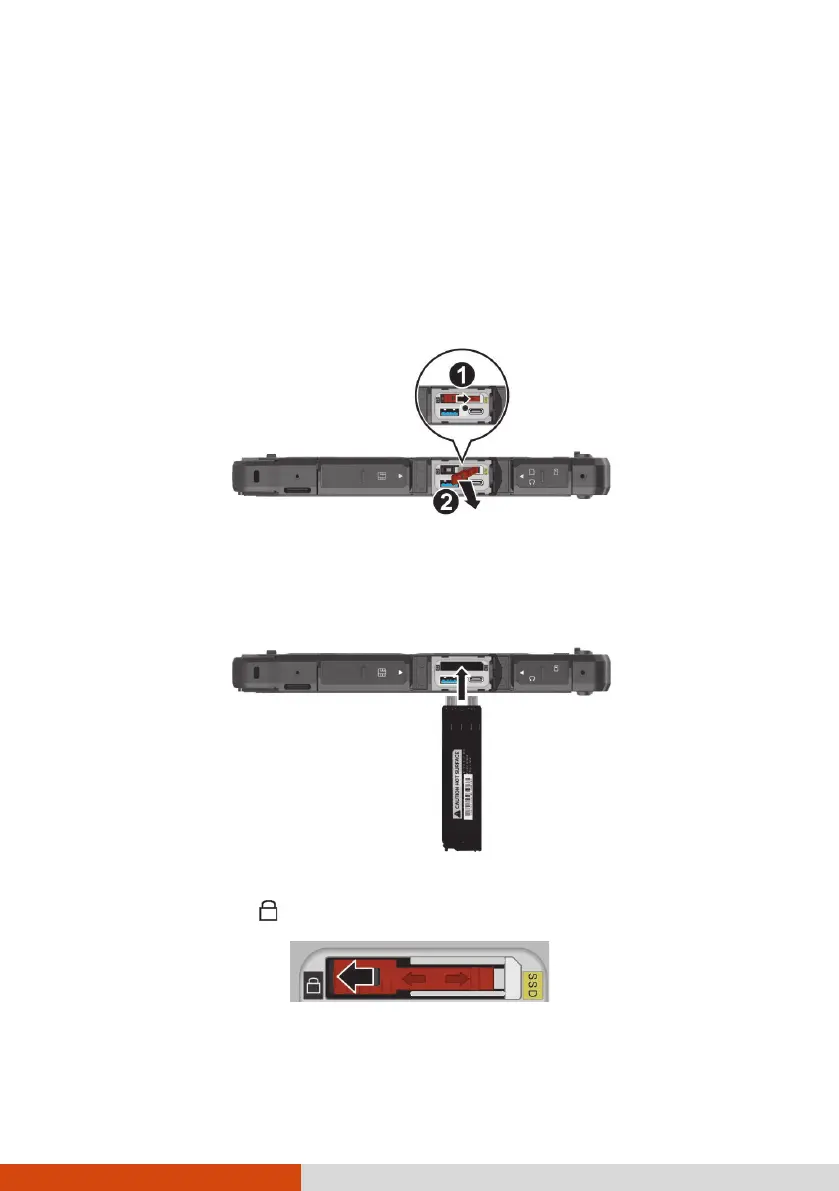
1. Turn off the computer and disconnect the AC adapter.
2. Locate the SSD canister and open its protective cover.
3. Pry the plastic strip (
) to release it (
).
4. Using the plastic strip, pull the SSD canister out of the slot.
5. Noting the orientation, insert the new SSD canister all the way into the
slot.
6. Make sure the plastic strip is engaged. Slide the plastic strip toward the
locked position ( ).



 To Next Page