22
Changing Usage Modes
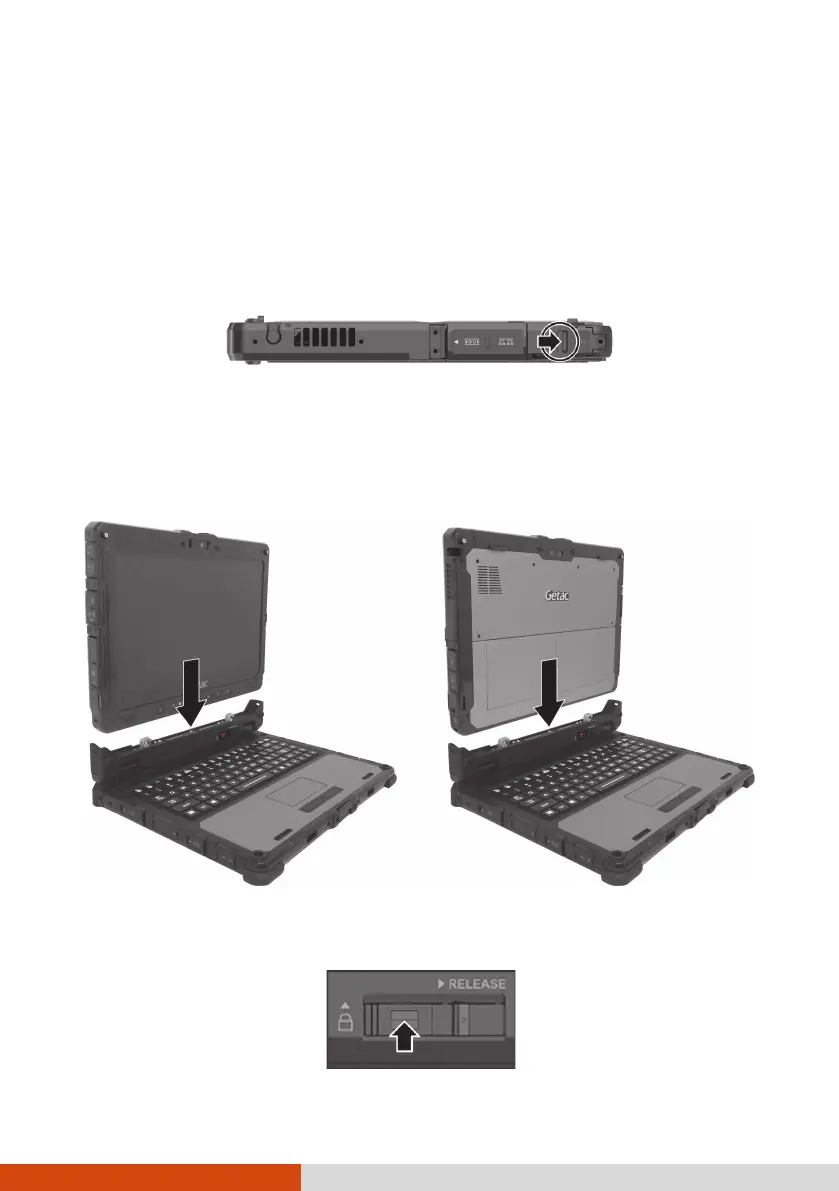
Changing usage modes means attaching or detaching the Keyboard Dock.
Attaching the Keyboard Dock
1. Make sure the cover of the power connector on K120 Tablet is closed
and locked.
2. Depending on the desired usage mode, have K120 Tablet face inwards
or outwards.
Align and put K120 Tablet down on the holder. The release latch should
click into place.
Notebook Mode Convertible/Presentation Mode
3. Slide the lock of the release latch upwards to the locked position.



 To Next Page