8
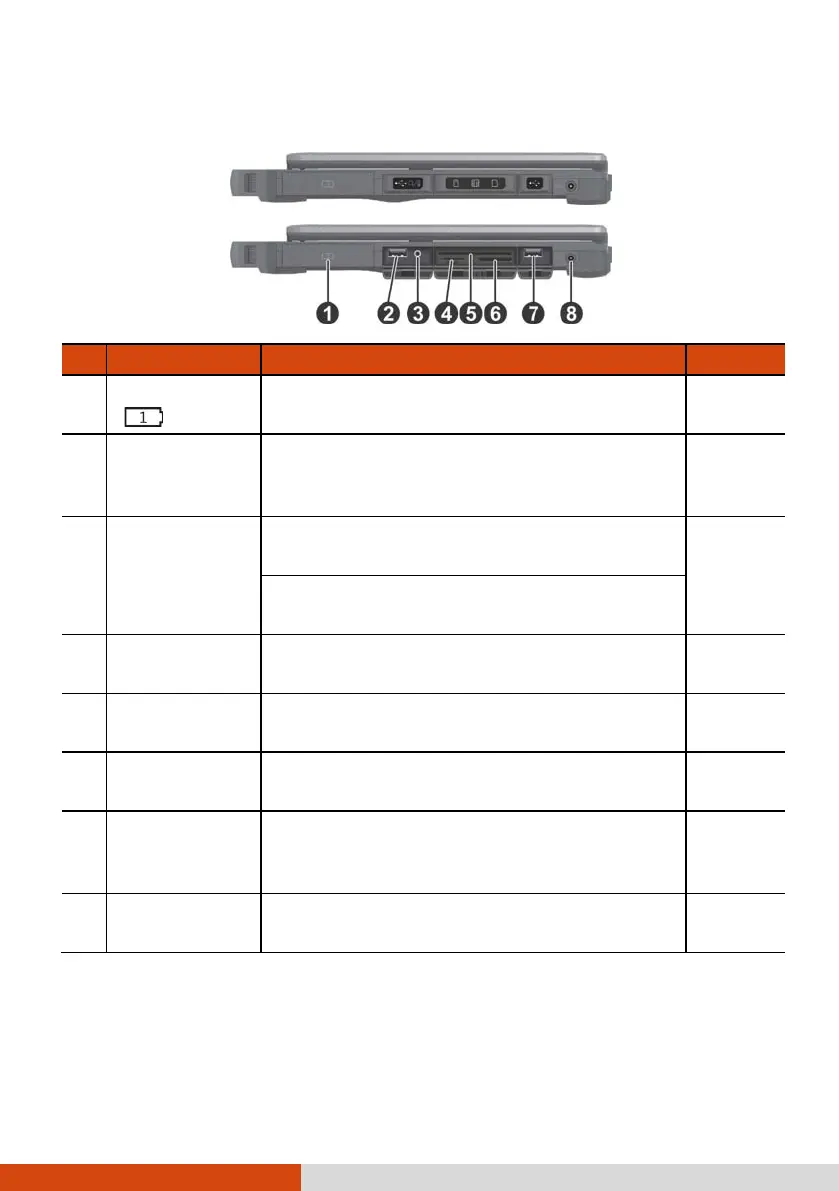
Right-Side Components
Ref Component Description See Also
Battery Pack
( )
Supplies power to your computer when
external power is not connected.
P. 46
USB 2.0 Port
Connects a USB device, such as a USB flash
disk, printer, digital camera, joystick, and
more.
P. 54
Combo Audio
Connector
Connects a set of headphones or external
speakers with amplifier
P. 57
Supports a headset microphone with 4-pole
TRRS 3.5mm jack.
SIM Card Slot
(optional)
Accepts a SIM card for models having the
WWAN module.
P. 33
Smart Card
Reader
Accepts a smart card for additional security
feature.
P. 58
Storage Card
Reader
Accepts an SD card for removable storage
media.
P. 58
USB 3.0 Port
Connects a USB device, such as a USB flash
disk, printer, digital camera, joystick, and
more.
P. 54
Power
Connector
Connects the AC adapter. P. 3



 To Next Page