56
Connecting a Monitor
If you want the benefits of a larger display screen with higher resolution,
you can connect an external display monitor to your computer.
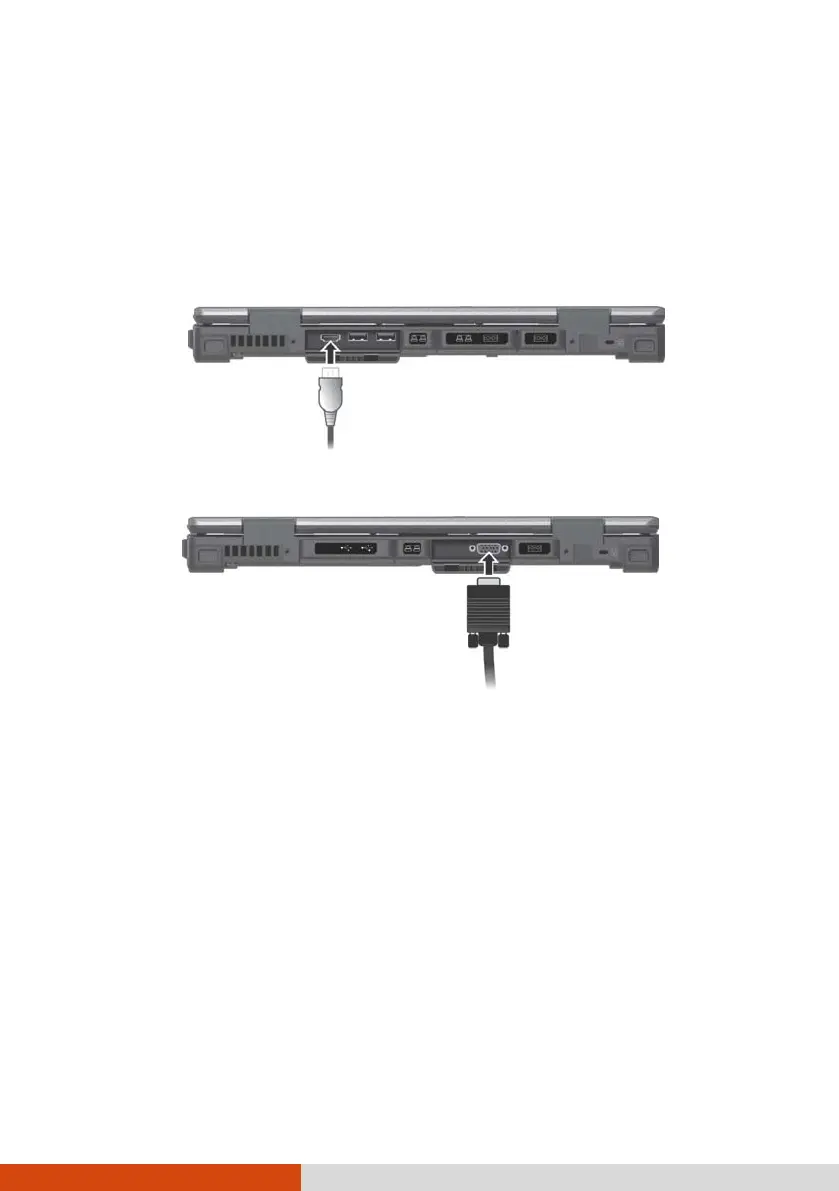
Your computer has an HDMI connector. HDMI (High-Definition Multimedia
Interface) is an audio/video interface that transmits uncompressed digital
data and therefore delivers true HD quality.
Select models have a VGA connector.
The connected device should respond by default. If not, you can switch the
display output by pressing the Fn+F5 hot keys. (You can also change the
display through Windows Control Panel.)



 To Next Page