73
Quick Button Definition Utility
The P1 and P2 buttons have pre-assigned functions. You can re-define the
button following this procedure:
1. Run BIOS Setup program to select Quick Btn for the P1 Function or P2
Function item under the Advanced menu. (See “Advanced Menu” in
Chapter 5.) Save and exit the program.
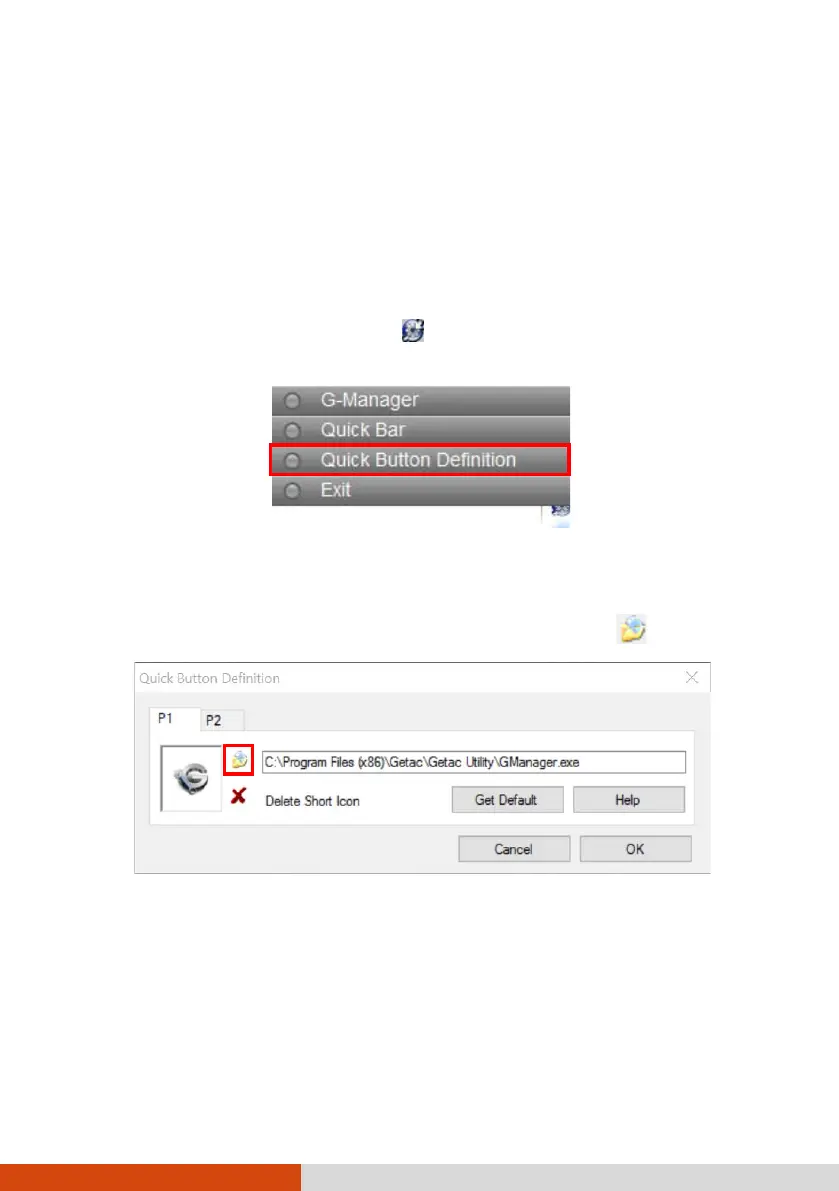
2. Right-click the Getac utility icon on the Windows taskbar and select
Quick Button Definition.
3. The following window appears. By default, P1 is assigned to G-Manager
and P2 to Internet Explorer.
To assign a program to a button, click the Open button .
4. In the Open dialog box, browse to the destination folder and select the
desired program file. Then, click Open to complete.



 To Next Page