10
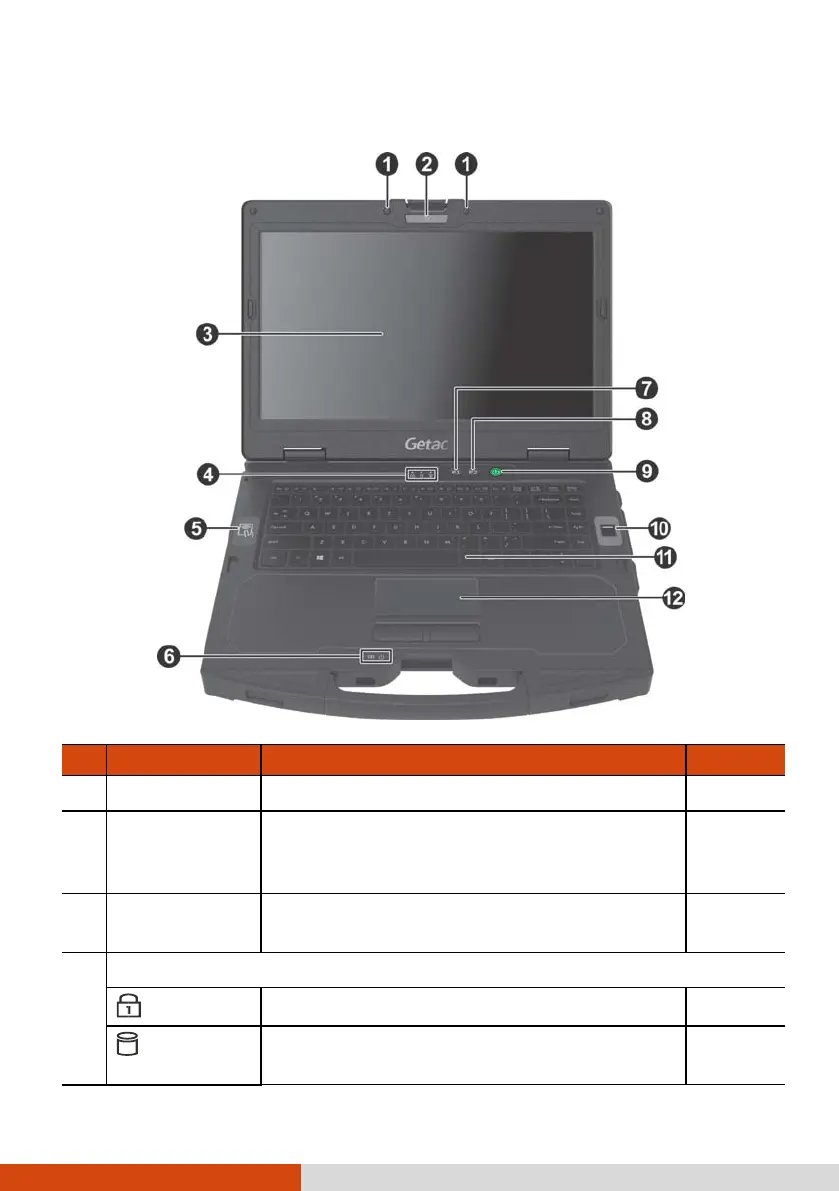
Top-open Components
Ref Component Description See Also
Microphone Receives sound and voice for the computer.
Camera Lens
(optional)
Allows you to use the camera function.
When the camera lens is in use, the LED
beside it lights up.
LCD Screen
Displays the output of the computer. May
include the optional touchscreen feature.
P. 22
Indicators
Num Lock
Lights green when Num Lock is on. P. 16
Hard Disk
Blinks green when computer is reading /
writing data to the hard disk



 To Next Page