25
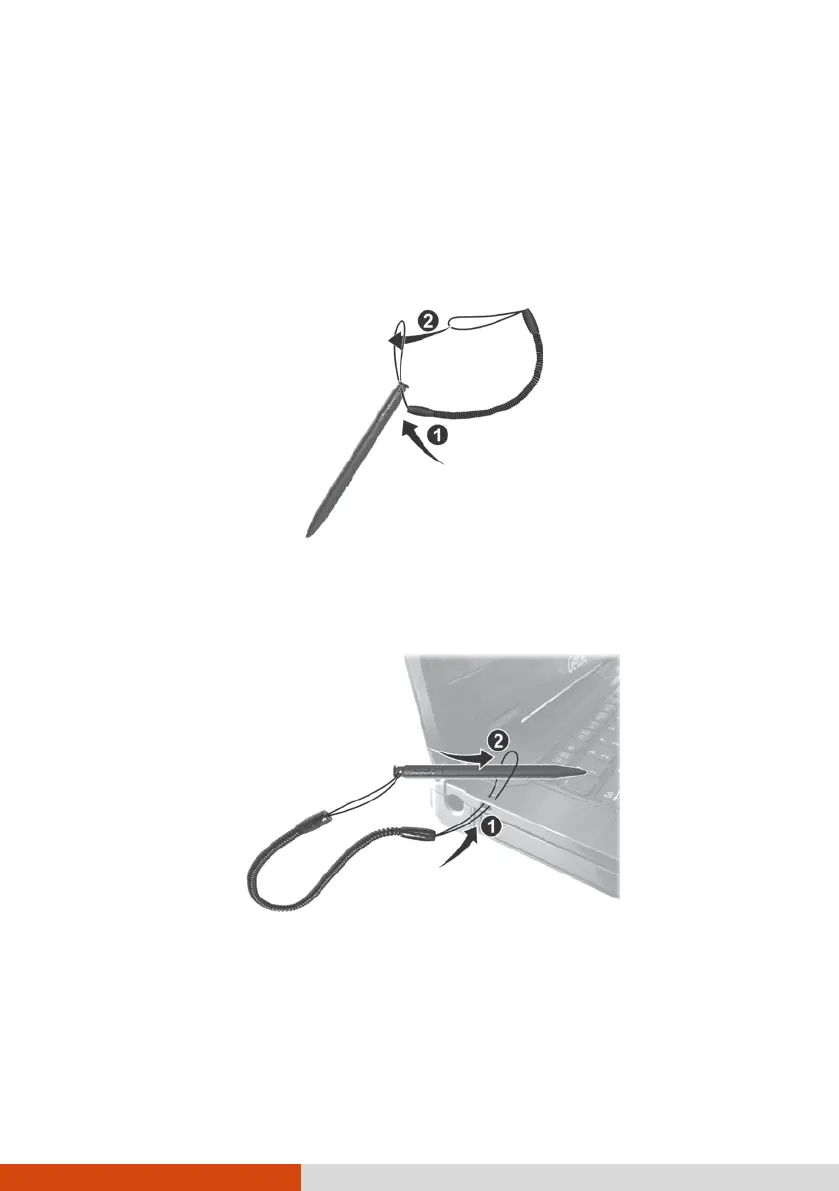
Using the Tether (Optional)
You can purchase a stylus and tether for your computer model. Use the
tether to attach the stylus to the computer.
1. Insert one of the tether’s loop ends through the hole of the stylus (as
indicated by
below). Then, insert the other end through the first loop
(as indicated by
below) and pull it tight.
2. Insert the other loop end to the hook on the computer (as indicated by
below). Then, insert the stylus end through the loop (as indicated by
below) and pull it tight.
3. When not in use, store the stylus in the stylus slot.
CAUTION: Be careful the tether does not get in the way when you open or
close the DVD tray (if your model has a DVD drive) and when you connect
the computer to the office or vehicle dock.



 To Next Page