35
Setting up a WWAN Connection
1. Make sure that the SIM card is inserted and the WWAN function is
enabled (as described above).
2. Start the WWAN utility software (Skylight).
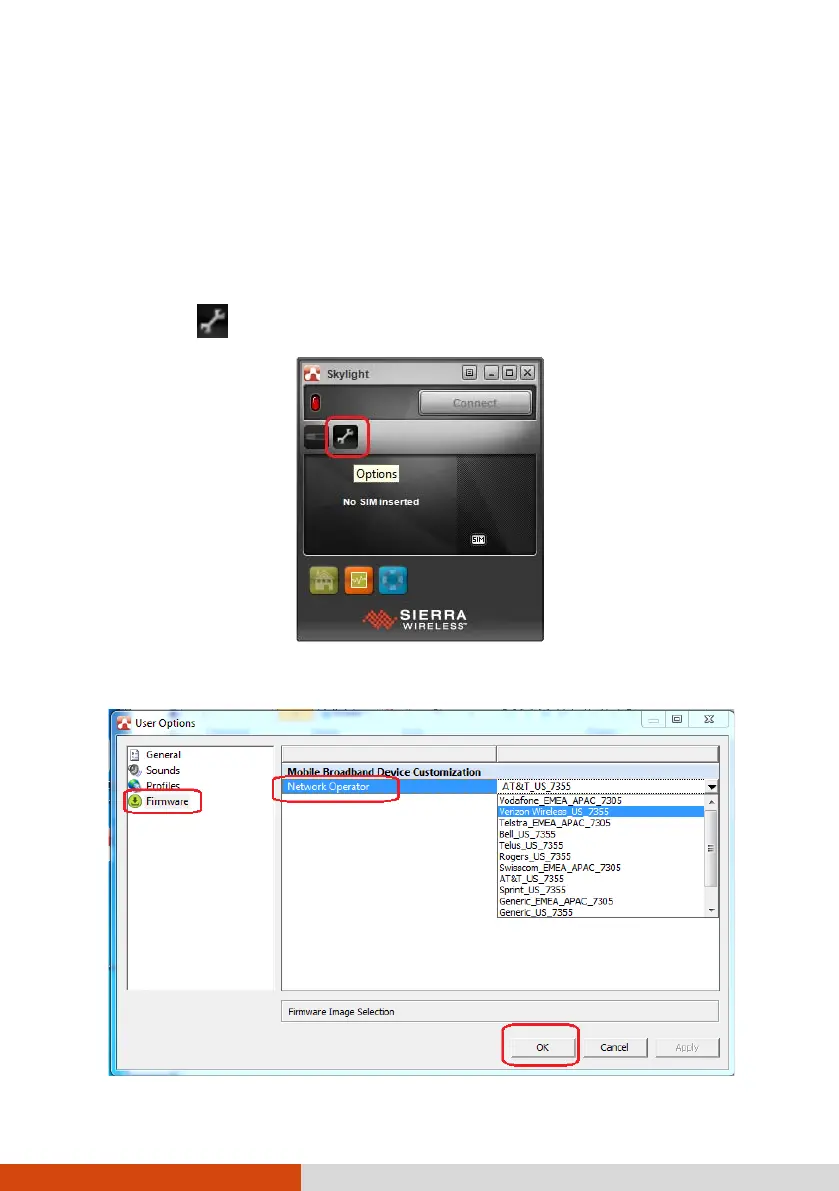
3. You need to configure the software to match your mobile network
operator.
Select the button to open the User Options window.
4. Select Firmware and pull down the list of mobile network operators.



 To Next Page