34
Turning On/Off the WWAN Radio
To turn on the WWAN radio:
1. Make sure that the Airplane mode is switched off. You can control the
Airplane mode using one of the below methods.
• Press Fn+F1.
• For Windows 10: Click Settings Network & Internet
Airplane mode. Slide the Airplane mode switch to the Off position.
2. If you have previously turned off the WWAN radio, use one of the below
methods to turn it on.
• Use the WWAN utility.
• For Windows 10: Click Settings Network & Internet
Airplane mode. Slide the Cellular switch to the On position.
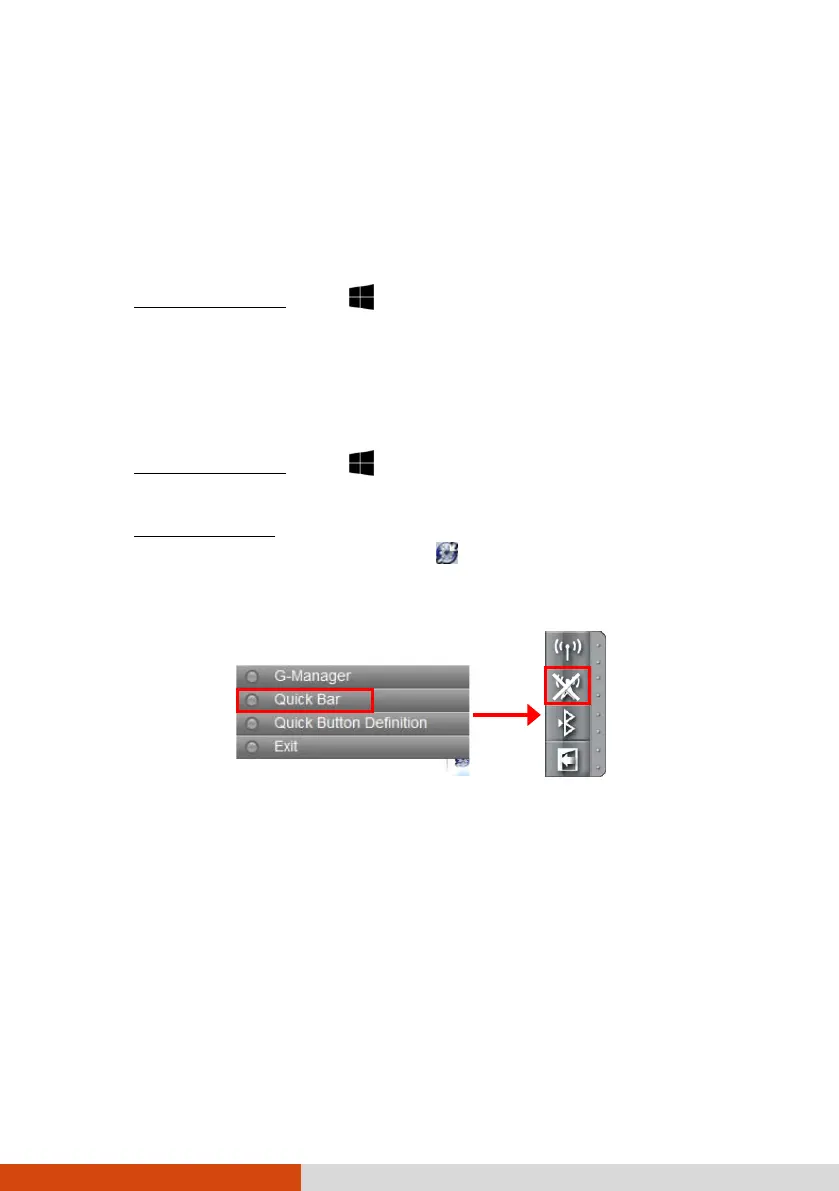
• For Windows 7: Use Getac Quick Bar. To open Getac Quick Bar,
right-click the Getac Utility icon on Windows taskbar and select
Quick Bar. Click the WWAN button in the Quick Bar (an X over the
button means the radio is currently off).
To turn off the WWAN radio:
You can turn off the WWAN radio the same way you turn it on.
If you want to turn off all wireless radio, slide the RF switch to the OFF
position.



 To Next Page