62
Changing or Replacing
Replacing the Hard Disk Drive
1. Turn off the computer and disconnect the AC adapter.
2. Carefully place the computer upside down.
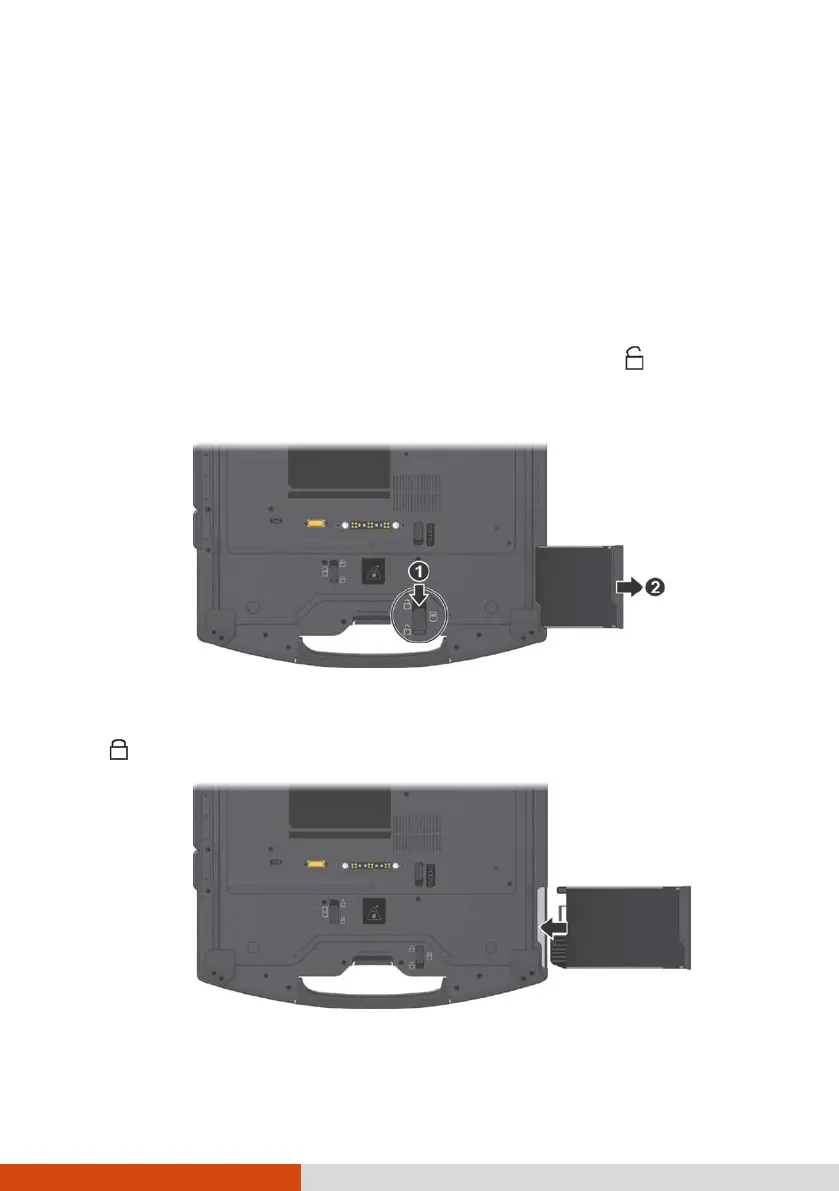
3. Locate the hard disk drive.
4. Slide the hard disk drive latch to the unlocked position ( ) (
) and
hold it there. Meanwhile, grasp the edge of the hard disk drive using the
other hand and pull it out of the bay (
).
5. Noting the orientation, insert the new hard disk drive all the way into the
bay. The hard disk drive latch should be engaged in the locked position
( ).



 To Next Page