54
Connecting Peripheral Devices
Connecting a USB Device
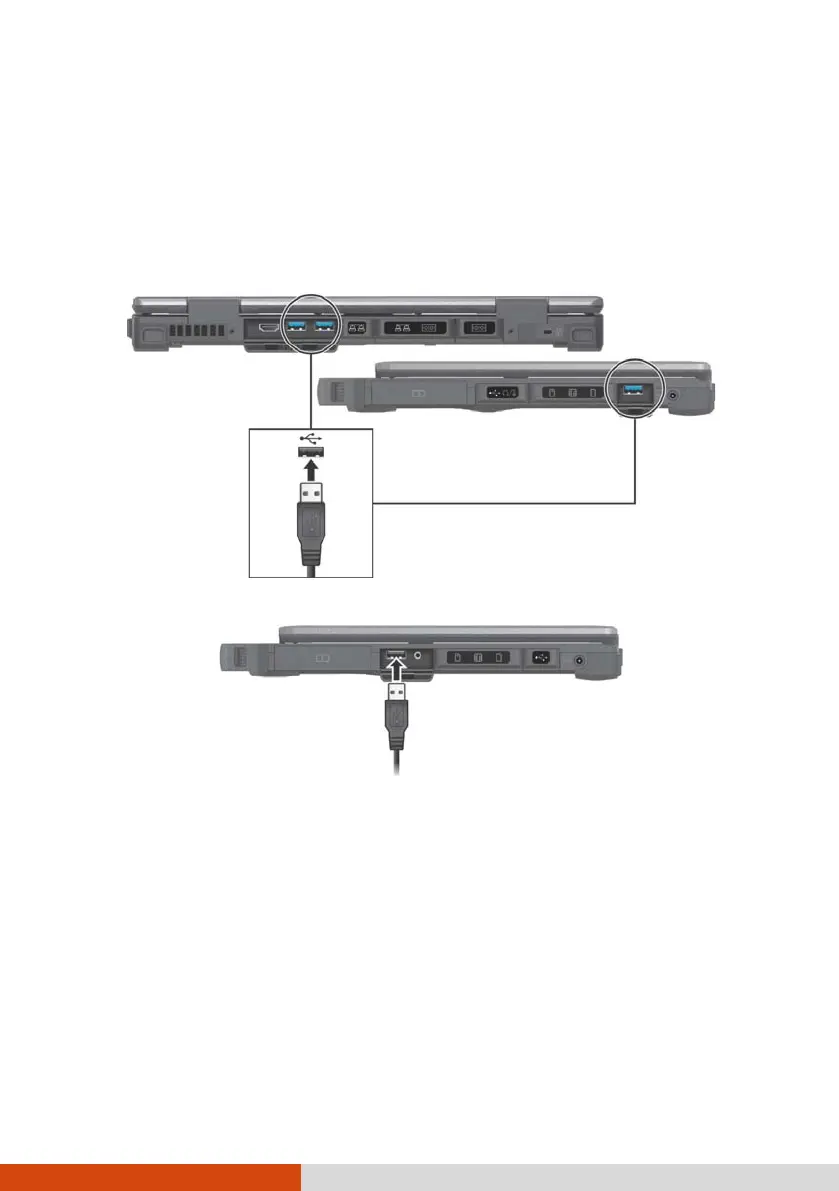
Your computer has three USB 3.0 ports and one USB 2.0 port for connecting
USB devices, such as a digital camera, scanner, printer, modem, and mouse.
NOTE: Select models have a PowerShare USB port. If needed, you can
change the settings and use this port as a standard USB 2.0 port. (See the
next section for more information.)
USB 3.0
USB 2.0



 To Next Page