41
3. Follow the onscreen instructions to complete.
For Windows 7
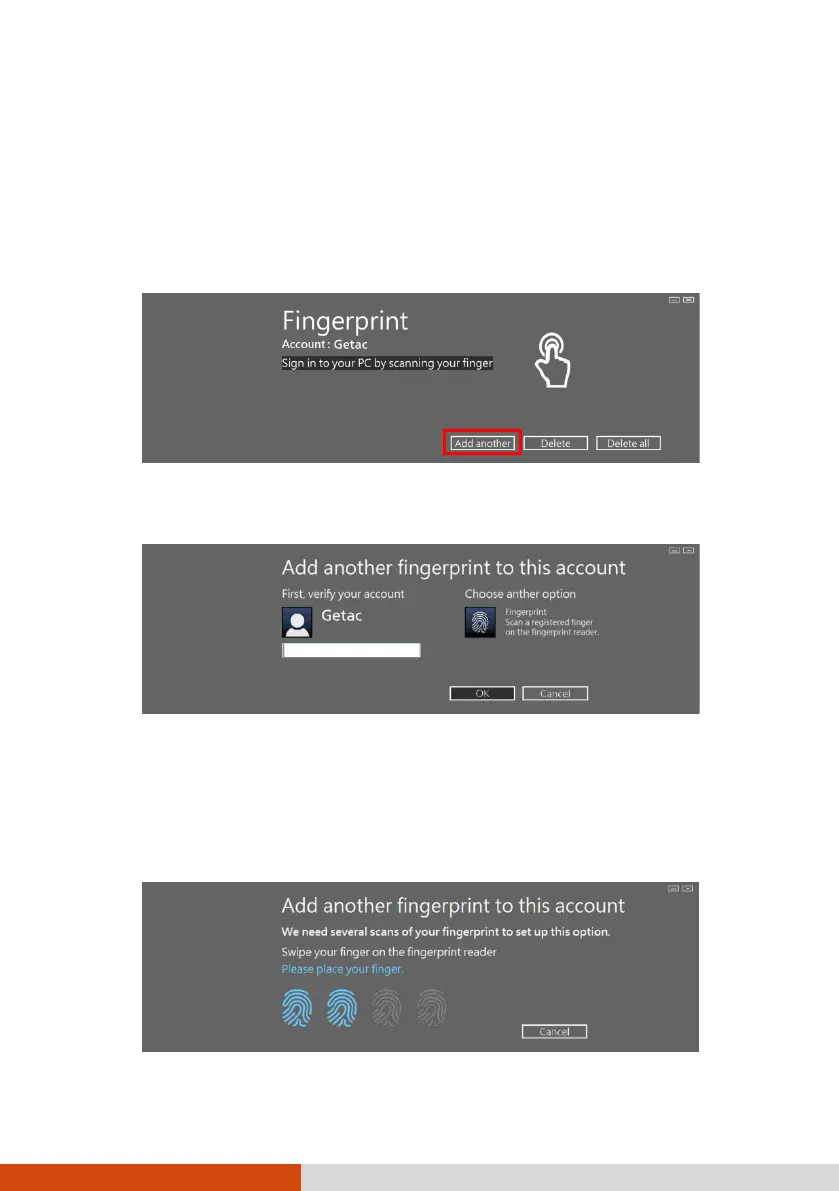
1. Log in to Windows as the user whose fingerprint is to be enrolled.
2. Double-click iMD Fingerprint Reader on Windows desktop.
3. In the fingerprint configuration menu, click Add another.
4. You will be asked to enter the password of the selected user. Enter the
password and click OK.
5. Place any finger of your choice on the scanner surface. Keep the finger
still until you’re asked to lift your finger and repeat the action again.
Several scans of the fingerprint are required.
NOTE: Place your finger in a natural position that matches the way you
normally hold your device.
6. When completed, click Finish.



 To Next Page