Troubleshooting 8-7
Sensor Problems (for Windows 8 Models
Only)
The built-in digital compass doesn’t seem to be accurate.
Rotating the display can affect the accuracy of the digital compass. This is
normal, not a malfunction. The sensors for the compass require periodic
recalibration. Follow this method to recalibrate the sensors:
1. Make sure you are far away from any large metal objects or magnetic
fields.
2. Start an application that utilizes the digital compass.
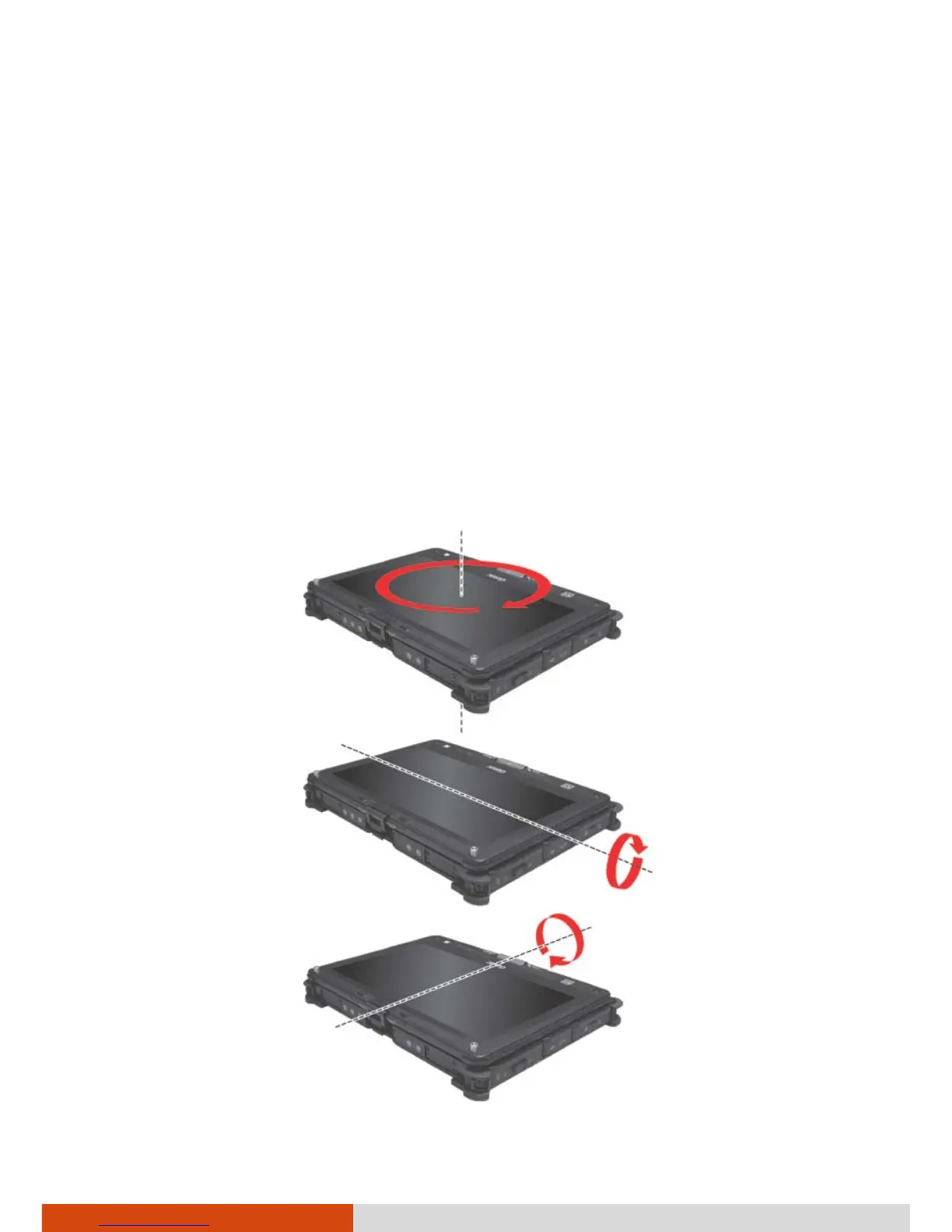
3. Hold the computer level with the horizon, with the LCD side facing up.
4. Rotate the computer 360° at least three times around each axis (X, Y,
and Z) as shown below.



 To Next Page